" transform="translate(5 2)" width="10px"/></svg>)

May 14, 2026
•
5 min read
AI Voice Dictation for Coding: 3x Your Speed in June 2026

May 14, 2026
•
5 min read
AI Voice Dictation for Coding: 3x Your Speed in June 2026
After helping tons of developers optimize their coding workflows, I've seen the same bottleneck everywhere: your brain moves at speaking speed, but your fingers are stuck at typing speed. Many developers spend a large portion of their day typing documentation, prompts, comments, and boilerplate instead of focusing on architecture and problem-solving. AI voice dictation for coding changes this completely by letting you speak naturally at 150 words per minute while maintaining technical accuracy. Let's dig into how to set up voice coding in 2 minutes and integrate it with your existing development tools.
TLDR:
Most people speak at roughly 150 WPM while average typing speeds are around 40 WPM.
Modern AI dictation tools offer context-aware processing, universal app compatibility, and ~200ms latency (compared to 700ms+ for competitors).
Voice coding excels at AI assistant interaction, documentation, code reviews, and debugging workflows.
Setup takes 2 minutes with tools designed for developers' specific needs.
Context-aware AI learns your technical vocabulary and custom terms, so accuracy improves the more you use it.
What Is AI Voice Dictation for Coding?
Think of it as having a conversation with your computer about what you want to build, instead of pecking away at keys to spell out every bracket and semicolon.
The key difference between regular dictation and coding-specific tools lies in context awareness. When you say "create a new function called getUserData," a coding dictation tool understands you want proper function syntax, instead of those words typed out. It knows the difference between "array" the data structure and "a ray" of sunlight.
Modern AI voice tools like Willow Voice can achieve 3x more accuracy than built-in dictation tools by understanding programming context and technical vocabulary.
Willow Voice's universal application compatibility across Windows and Mac makes it particularly relevant for developers who need to work across multiple coding environments, AI tools like Cursor, and documentation platforms without switching between different systems. You can speak code in your IDE, then smoothly switch to documenting that code in Notion or responding to a technical question in Slack.
Recent advances in AI speech recognition have made voice dictation more reliable for technical work. Modern systems can decipher accents, handle background noise, and adapt to individual speaking patterns in real time.
Why Voice Coding Matters in 2026
Voice coding tackles major productivity challenges for developers, especially considering humans naturally speak faster than they type at roughly 150 versus 40 words per minute.
When you're in flow state, your thoughts move at the speed of speech, not the speed of your fingers hunting for the right keys.
But speed isn't the only advantage. The modern development world requires rapid interaction with AI coding assistants, where developers spend considerable time crafting prompts and reviewing code suggestions. Voice input allows more natural communication with these tools, allowing for faster iteration cycles.
Here's what the numbers tell us:
Input Method | Speed (WPM) | Accuracy | Fatigue Level |
|---|---|---|---|
Typing | 40 | 95-98% | High |
Voice Dictation | around 150 | Higher accuracy for technical terminology than built-in dictation | Low |
The ergonomic benefits can't be ignored either. Repetitive strain injuries affect many developers at some point in their careers. Voice coding provides a hands-free alternative that reduces physical stress while maintaining productivity. If you've experienced these kinds of issues before, you know how detrimental they can be to performance.
Willow's context-aware features and custom dictionaries tackle the technical terminology challenges that plague generic voice tools in development environments. When you mention React hooks or "Kubernetes pods," it understands you're talking about particular technologies, not fishing equipment or vegetables.
Voice coding is becoming an increasingly important option for developers. We're spending more time explaining requirements to AI assistants, documenting complex systems, and collaborating across distributed teams. Voice input excels at all these speech-to-text applications.
How to Set Up Your Voice Coding Environment
Getting started with Willow Voice requires minimal setup time. Download the native app for Mac or Windows, or the iOS keyboard, and complete the initial configuration in under five minutes. Windows and Mac get the same features and setup quality, with no complex command memorization or application-specific plugins required.
The hotkey activation system gives you instant access across every application on both Mac and Windows. On Mac, press the Fn key; on Windows, use the configurable activation shortcut. Either way, hold the hotkey, speak your code or comment, and watch it appear wherever your cursor is positioned. It works the same in VS Code, Terminal, Slack, or any other application where you type, with full feature parity across both platforms.
Willow Voice also offers Willow Scribe mode (Fn + Control) for AI-assisted content generation that can draft complete emails and messages from voice prompts transcribing word-for-word.
You can configure your custom dictionary with project-specific terms during your first coding sessions (although a lot of the time it will work out of the box):
Framework names (React, Django, Kubernetes)
Company-specific terminology (service names, product features)
Technical abbreviations and acronyms
Team member names and project codenames
Willow's context-aware AI learns your coding patterns and terminology preferences automatically, improving accuracy over time. The system adapts to your speaking style, common phrases, and technical vocabulary without manual training.
Test the system across your primary development tools including your IDE, terminal applications, and AI coding assistants to check smooth integration. The universal compatibility eliminates the need for different voice tools for different applications.
Start with simple tasks like speaking comments or documentation, then gradually add voice input for more complex coding tasks as you build confidence with the system.
For developers working with sensitive or proprietary code, Willow offers an Offline Mode that can be turned on in Settings. This allows fully private, local dictation on Mac and iOS without requiring an internet connection, while maintaining the same quality as cloud-based processing.
Integrate with AI Coding Assistants
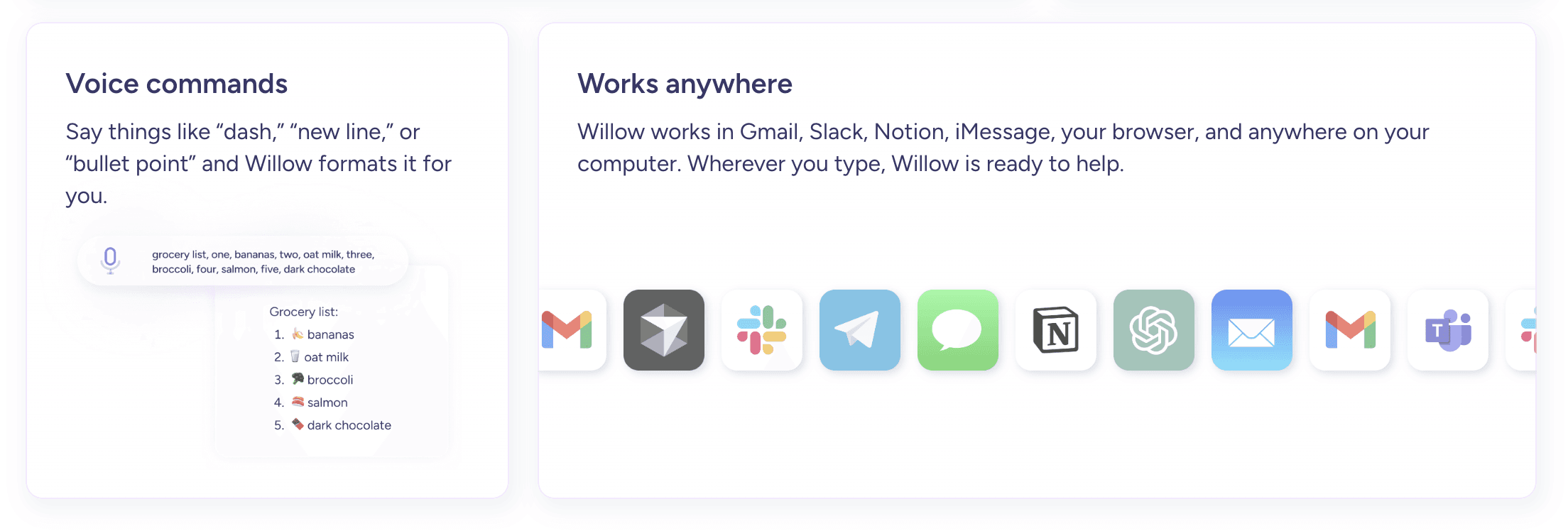
Willow truly shines with AI coding tools like Cursor, Windsurf, ChatGPT, and GitHub Copilot through natural speech input. In IDEs like Cursor and Windsurf, Willow can auto-tag your codebase so spoken prompts carry the right file and project context, as covered in our guide to voice dictation for Cursor. Instead of typing out complex prompts, you can speak them naturally while keeping your focus on problem-solving over input mechanics.
The context-aware processing makes sure technical terminology and project-specific details are accurately transcribed. When you say "Create a React component that handles user authentication with JWT," Willow understands the technical context and captures it precisely.
Use voice input to rapidly iterate on AI-generated code suggestions by speaking modification requests and refinements. "Make this function async and add error handling" becomes a quick spoken command instead of a typing exercise.
The speed advantage becomes particularly pronounced when crafting detailed prompts or explaining complex requirements to AI coding assistants.
This integration allows the "vibe coding" workflow where developers communicate ideas naturally to AI systems. You're having a conversation about code instead of laboriously typing instructions.
For developers working with AI voice tools, this natural interaction pattern greatly reduces the friction between having an idea and implementing it.
Optimize Code Documentation and Comments
Voice recording changes code documentation from a tedious typing task into natural explanation. Use Willow to record detailed function documentation, API descriptions, and inline comments while maintaining coding momentum.
The tool's formatting features automatically structure documentation according to common conventions. Speak naturally about what your function does, and Willow handles proper formatting, paragraph breaks, and professional tone adjustment automatically.
Instead of typing:
You can speak: "This function takes user input, validates it against our schema, sanitizes any potentially dangerous content, and returns clean data ready for database insertion."
This approach cuts down the time spent on documentation tasks while improving the quality and completeness of code comments. Many developers skip documentation because typing it feels like a chore. Voice input makes it feel like explaining your code to a colleague.
For teams using Notion, voice dictation creates a smooth workflow between coding and knowledge sharing.
Handle Code Review and Communication
Voice dictation makes code review processes faster by allowing rapid feedback composition and technical discussion.
Create pull request descriptions that actually explain what changed and why:
"This PR refactors the user authentication flow to use JSON Web Tokens instead of session cookies. The main changes include updating the login endpoint to return tokens, adding middleware for token validation, and modifying the frontend to store tokens in localStorage. This improves scalability for our microservices architecture and allows better mobile app integration."
Where Willow Voice Fits In

Everything covered so far points to the same conclusion: the bottleneck in modern development isn't thinking, it's getting your thoughts into the machine. Willow Voice is built for exactly that. It lets you prompt any AI coding tool, write documentation, and draft pull request descriptions with your voice at around 150 WPM, roughly 4x faster than typing, with 200ms latency that feels instant. It runs from a single keyboard shortcut anywhere on your machine, so there's no app switching and no hunting for a mic button.
What sets it apart for developers is context. Willow Voice is 3x more accurate than the built-in dictation on macOS, Windows, or in the browser, and its auto-tagging picks up open files, variable names, function names, and class names in IDEs like Cursor and Windsurf. Its custom dictionary learns your library names, framework terms, and project codenames over time, so spoken prompts carry the right codebase context instead of getting mangled into the wrong words.
It's also ready for teams that need to take it seriously. Willow Voice is SOC 2 certified and HIPAA compliant, and it's already used by developers at 20% of Fortune 500 companies and across fast-moving YC startup engineering teams. Whether you're a solo founder shipping with AI tools or a senior engineer on a large team, it slots into the workflow you already have across Mac, Windows, and iOS.
Instead of typing lengthy explanations, you can think out loud while reviewing code.
FAQs
How accurate is AI voice dictation for technical terminology?
Modern AI voice dictation tools like Willow achieve 3x higher accuracy than built-in dictation systems for technical content. The key is context-aware processing that understands programming terminology, plus custom dictionaries that learn your specific technical vocabulary over time.
Does voice coding work in noisy environments?
Advanced voice dictation tools include background noise filtering and quiet mode features. Willow's noise filtering allows clear transcription even in busy offices, while quiet mode lets you speak softly or whisper when needed.
Is voice dictation secure for proprietary code?
Privacy-focused tools like Willow process voice data securely without storing recordings or transcripts.
Final Thoughts on AI Voice Dictation for Coding
You can speak at 150 WPM instead of typing at 40 WPM, allowing text input that can be roughly 3 to 4 times faster than typing, depending on the task, and the case makes even more sense if you've ever felt wrist strain from long programming sessions. AI voice dictation for coding removes the friction between having an idea and writing it down. This is where Willow Voice fits: its context-aware engine learns your technical vocabulary, ties into Cursor and Windsurf so spoken prompts carry the right codebase context, and works across Mac, Windows, and iOS, so the gap between your thoughts and your IDE keeps closing wherever you work.
After helping tons of developers optimize their coding workflows, I've seen the same bottleneck everywhere: your brain moves at speaking speed, but your fingers are stuck at typing speed. Many developers spend a large portion of their day typing documentation, prompts, comments, and boilerplate instead of focusing on architecture and problem-solving. AI voice dictation for coding changes this completely by letting you speak naturally at 150 words per minute while maintaining technical accuracy. Let's dig into how to set up voice coding in 2 minutes and integrate it with your existing development tools.
TLDR:
Most people speak at roughly 150 WPM while average typing speeds are around 40 WPM.
Modern AI dictation tools offer context-aware processing, universal app compatibility, and ~200ms latency (compared to 700ms+ for competitors).
Voice coding excels at AI assistant interaction, documentation, code reviews, and debugging workflows.
Setup takes 2 minutes with tools designed for developers' specific needs.
Context-aware AI learns your technical vocabulary and custom terms, so accuracy improves the more you use it.
What Is AI Voice Dictation for Coding?
Think of it as having a conversation with your computer about what you want to build, instead of pecking away at keys to spell out every bracket and semicolon.
The key difference between regular dictation and coding-specific tools lies in context awareness. When you say "create a new function called getUserData," a coding dictation tool understands you want proper function syntax, instead of those words typed out. It knows the difference between "array" the data structure and "a ray" of sunlight.
Modern AI voice tools like Willow Voice can achieve 3x more accuracy than built-in dictation tools by understanding programming context and technical vocabulary.
Willow Voice's universal application compatibility across Windows and Mac makes it particularly relevant for developers who need to work across multiple coding environments, AI tools like Cursor, and documentation platforms without switching between different systems. You can speak code in your IDE, then smoothly switch to documenting that code in Notion or responding to a technical question in Slack.
Recent advances in AI speech recognition have made voice dictation more reliable for technical work. Modern systems can decipher accents, handle background noise, and adapt to individual speaking patterns in real time.
Why Voice Coding Matters in 2026
Voice coding tackles major productivity challenges for developers, especially considering humans naturally speak faster than they type at roughly 150 versus 40 words per minute.
When you're in flow state, your thoughts move at the speed of speech, not the speed of your fingers hunting for the right keys.
But speed isn't the only advantage. The modern development world requires rapid interaction with AI coding assistants, where developers spend considerable time crafting prompts and reviewing code suggestions. Voice input allows more natural communication with these tools, allowing for faster iteration cycles.
Here's what the numbers tell us:
Input Method | Speed (WPM) | Accuracy | Fatigue Level |
|---|---|---|---|
Typing | 40 | 95-98% | High |
Voice Dictation | around 150 | Higher accuracy for technical terminology than built-in dictation | Low |
The ergonomic benefits can't be ignored either. Repetitive strain injuries affect many developers at some point in their careers. Voice coding provides a hands-free alternative that reduces physical stress while maintaining productivity. If you've experienced these kinds of issues before, you know how detrimental they can be to performance.
Willow's context-aware features and custom dictionaries tackle the technical terminology challenges that plague generic voice tools in development environments. When you mention React hooks or "Kubernetes pods," it understands you're talking about particular technologies, not fishing equipment or vegetables.
Voice coding is becoming an increasingly important option for developers. We're spending more time explaining requirements to AI assistants, documenting complex systems, and collaborating across distributed teams. Voice input excels at all these speech-to-text applications.
How to Set Up Your Voice Coding Environment
Getting started with Willow Voice requires minimal setup time. Download the native app for Mac or Windows, or the iOS keyboard, and complete the initial configuration in under five minutes. Windows and Mac get the same features and setup quality, with no complex command memorization or application-specific plugins required.
The hotkey activation system gives you instant access across every application on both Mac and Windows. On Mac, press the Fn key; on Windows, use the configurable activation shortcut. Either way, hold the hotkey, speak your code or comment, and watch it appear wherever your cursor is positioned. It works the same in VS Code, Terminal, Slack, or any other application where you type, with full feature parity across both platforms.
Willow Voice also offers Willow Scribe mode (Fn + Control) for AI-assisted content generation that can draft complete emails and messages from voice prompts transcribing word-for-word.
You can configure your custom dictionary with project-specific terms during your first coding sessions (although a lot of the time it will work out of the box):
Framework names (React, Django, Kubernetes)
Company-specific terminology (service names, product features)
Technical abbreviations and acronyms
Team member names and project codenames
Willow's context-aware AI learns your coding patterns and terminology preferences automatically, improving accuracy over time. The system adapts to your speaking style, common phrases, and technical vocabulary without manual training.
Test the system across your primary development tools including your IDE, terminal applications, and AI coding assistants to check smooth integration. The universal compatibility eliminates the need for different voice tools for different applications.
Start with simple tasks like speaking comments or documentation, then gradually add voice input for more complex coding tasks as you build confidence with the system.
For developers working with sensitive or proprietary code, Willow offers an Offline Mode that can be turned on in Settings. This allows fully private, local dictation on Mac and iOS without requiring an internet connection, while maintaining the same quality as cloud-based processing.
Integrate with AI Coding Assistants
Willow truly shines with AI coding tools like Cursor, Windsurf, ChatGPT, and GitHub Copilot through natural speech input. In IDEs like Cursor and Windsurf, Willow can auto-tag your codebase so spoken prompts carry the right file and project context, as covered in our guide to voice dictation for Cursor. Instead of typing out complex prompts, you can speak them naturally while keeping your focus on problem-solving over input mechanics.
The context-aware processing makes sure technical terminology and project-specific details are accurately transcribed. When you say "Create a React component that handles user authentication with JWT," Willow understands the technical context and captures it precisely.
Use voice input to rapidly iterate on AI-generated code suggestions by speaking modification requests and refinements. "Make this function async and add error handling" becomes a quick spoken command instead of a typing exercise.
The speed advantage becomes particularly pronounced when crafting detailed prompts or explaining complex requirements to AI coding assistants.
This integration allows the "vibe coding" workflow where developers communicate ideas naturally to AI systems. You're having a conversation about code instead of laboriously typing instructions.
For developers working with AI voice tools, this natural interaction pattern greatly reduces the friction between having an idea and implementing it.
Optimize Code Documentation and Comments
Voice recording changes code documentation from a tedious typing task into natural explanation. Use Willow to record detailed function documentation, API descriptions, and inline comments while maintaining coding momentum.
The tool's formatting features automatically structure documentation according to common conventions. Speak naturally about what your function does, and Willow handles proper formatting, paragraph breaks, and professional tone adjustment automatically.
Instead of typing:
You can speak: "This function takes user input, validates it against our schema, sanitizes any potentially dangerous content, and returns clean data ready for database insertion."
This approach cuts down the time spent on documentation tasks while improving the quality and completeness of code comments. Many developers skip documentation because typing it feels like a chore. Voice input makes it feel like explaining your code to a colleague.
For teams using Notion, voice dictation creates a smooth workflow between coding and knowledge sharing.
Handle Code Review and Communication
Voice dictation makes code review processes faster by allowing rapid feedback composition and technical discussion.
Create pull request descriptions that actually explain what changed and why:
"This PR refactors the user authentication flow to use JSON Web Tokens instead of session cookies. The main changes include updating the login endpoint to return tokens, adding middleware for token validation, and modifying the frontend to store tokens in localStorage. This improves scalability for our microservices architecture and allows better mobile app integration."
Where Willow Voice Fits In
Everything covered so far points to the same conclusion: the bottleneck in modern development isn't thinking, it's getting your thoughts into the machine. Willow Voice is built for exactly that. It lets you prompt any AI coding tool, write documentation, and draft pull request descriptions with your voice at around 150 WPM, roughly 4x faster than typing, with 200ms latency that feels instant. It runs from a single keyboard shortcut anywhere on your machine, so there's no app switching and no hunting for a mic button.
What sets it apart for developers is context. Willow Voice is 3x more accurate than the built-in dictation on macOS, Windows, or in the browser, and its auto-tagging picks up open files, variable names, function names, and class names in IDEs like Cursor and Windsurf. Its custom dictionary learns your library names, framework terms, and project codenames over time, so spoken prompts carry the right codebase context instead of getting mangled into the wrong words.
It's also ready for teams that need to take it seriously. Willow Voice is SOC 2 certified and HIPAA compliant, and it's already used by developers at 20% of Fortune 500 companies and across fast-moving YC startup engineering teams. Whether you're a solo founder shipping with AI tools or a senior engineer on a large team, it slots into the workflow you already have across Mac, Windows, and iOS.
Instead of typing lengthy explanations, you can think out loud while reviewing code.
FAQs
How accurate is AI voice dictation for technical terminology?
Modern AI voice dictation tools like Willow achieve 3x higher accuracy than built-in dictation systems for technical content. The key is context-aware processing that understands programming terminology, plus custom dictionaries that learn your specific technical vocabulary over time.
Does voice coding work in noisy environments?
Advanced voice dictation tools include background noise filtering and quiet mode features. Willow's noise filtering allows clear transcription even in busy offices, while quiet mode lets you speak softly or whisper when needed.
Is voice dictation secure for proprietary code?
Privacy-focused tools like Willow process voice data securely without storing recordings or transcripts.
Final Thoughts on AI Voice Dictation for Coding
You can speak at 150 WPM instead of typing at 40 WPM, allowing text input that can be roughly 3 to 4 times faster than typing, depending on the task, and the case makes even more sense if you've ever felt wrist strain from long programming sessions. AI voice dictation for coding removes the friction between having an idea and writing it down. This is where Willow Voice fits: its context-aware engine learns your technical vocabulary, ties into Cursor and Windsurf so spoken prompts carry the right codebase context, and works across Mac, Windows, and iOS, so the gap between your thoughts and your IDE keeps closing wherever you work.

Try Willow for free
2,000 words / week. No card required.
Try Willow for free
2,000 words / week. No card required.


Your keyboard is optional now
" transform="translate(5 5)" width="9.791000051498413px"/></svg>)

The voice-first interface for modern work.
© Willow Care, Inc. 2026. All rights reserved
Your keyboard is optional now
The voice-first interface for modern work.
© Willow Care, Inc. 2026. All rights reserved
Your keyboard is optional now
The voice-first interface for modern work.
© Willow Care, Inc. 2026. All rights reserved