
May 14, 2026
•
5 min read
Super Whisper vs Wispr Flow: Voice Dictation Comparison June 2026

May 14, 2026
•
5 min read
Super Whisper vs Wispr Flow: Voice Dictation Comparison June 2026
Voice dictation has moved well past simple transcription. Whether you're writing emails, prompting AI tools, drafting documents, or coding, the tool you choose shapes how fast you work and how much control you have over your data. Two names that come up constantly in this space are Super Whisper and Wispr Flow, but they take very different approaches to the same problem.
Super Whisper bets on the device: all processing happens locally, your voice data never touches a server, and you get granular control over which AI model runs under the hood. Wispr Flow bets on the cloud: audio goes to remote servers for fast, context-aware transcription that adapts its tone to whatever app you're typing in. Neither approach is wrong; they're built for different users with different priorities.
The global AI speech-to-text tool market was valued at $3.87 billion in 2026 and is projected to grow to approximately $16.42 billion by 2035, expanding at a CAGR of 17.41%, signaling that AI dictation is moving from a niche productivity tool to mainstream infrastructure. We'll compare their core differences, trade-offs, and ideal use cases, plus look at alternatives like Willow for users who want ~200ms cloud processing, zero voice data storage, and full feature parity across Mac, Windows, and iOS in an AI dictation solution.
TL;DR
Super Whisper: fully offline, on-device processing with deep configuration control; best for privacy-conscious users who don't mind a steeper setup.
Wispr Flow: fast cloud-based transcription with context-aware formatting; best for users who want speed and multi-device reach over data control.
Willow: ~200ms cloud processing with a privacy-first architecture, no voice data storage, and full feature parity across Mac, Windows, and iOS; the middle path between the two.
What is Super Whisper and How It Works
Super Whisper is an AI-powered voice-to-text app for Mac, Windows, and iOS built around a simple premise: your voice data should never leave your device. The app was created out of frustration with native dictation tools and designed from the ground up for offline-first operation, with cross-language support and configurable settings that work inside any application.
In practice, Super Whisper sits in your menu bar and activates via a customizable hotkey — ⌥ + Space by default. Once triggered, it records your voice, runs transcription locally with one of its bundled Whisper models, and pastes the result at your cursor. There is no cloud handoff, no round-trip latency to a server, and no dependency on an internet connection.
Beyond basic dictation, Super Whisper includes a custom AI mode system that lets you define post-processing instructions for each mode. You might set one mode to transcribe verbatim for code comments, another to clean up grammar for emails, and a third to translate speech into a different language before pasting. Each mode runs the selected Whisper model locally and can be triggered independently, giving power users a high degree of control over the final output. This makes it a strong fit for developers, researchers, and privacy-conscious professionals who want dictation that behaves exactly how they configure it.
On-Device Privacy
Super Whisper supports complete offline operation, keeping voice data on-device. This works well for users without reliable internet access or those who require fully local processing — though it is one approach to privacy among several, and not the only way to protect voice data.
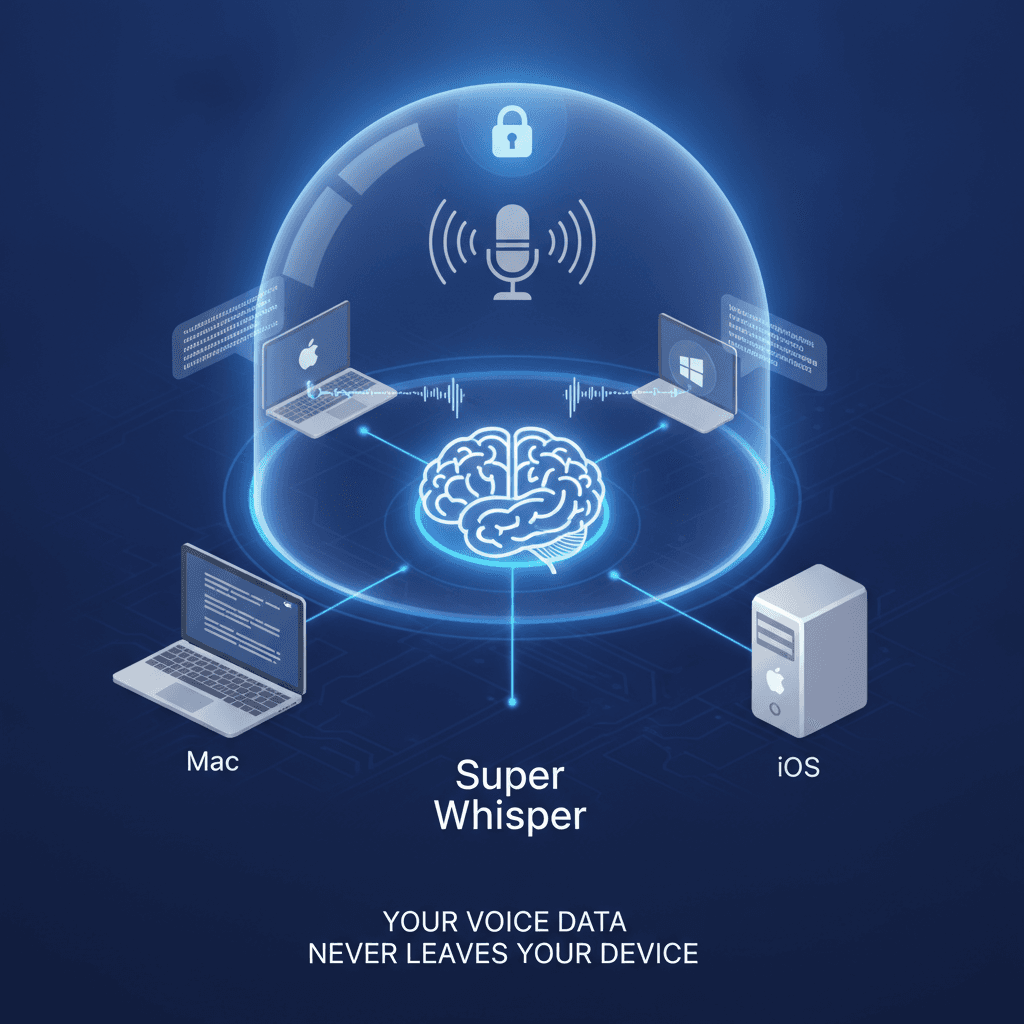
The app performs well even on older Macs, though larger AI models take longer to process and offer higher accuracy. Super Whisper features a clean, minimalist design that integrates smoothly with macOS, living quietly in the menu bar and ready to activate with customizable keyboard shortcuts like ⌥ + Space.
Whisper Model Sizes and Language Support
Super Whisper provides unlimited access to powerful local AI models, with no usage limits. Users can choose from five Whisper model sizes: tiny, base, and small for faster processing with lower storage requirements, and medium and large for higher accuracy at the cost of longer download times and greater disk space. Each model requires a separate initial download, and the tradeoffs between speed, storage, and precision mean there is some upfront decision-making before you begin using the app. The app supports multiple languages and dialects with automatic language detection, allowing smooth transitions for bilingual or multilingual users.
That flexibility is a genuine strength, though it does mean more configuration before you get going.
Super Whisper Pros and Cons
Pros
100% on-device processing for full privacy
Works fully offline without internet
Multiple Whisper model options for tuning accuracy
Supports 100+ languages with code-switching
SOC 2 Type II and HIPAA compliant
No subscription limits or usage caps
4.9/5 rating on Product Hunt
Cons
Steeper learning curve with complex setup options
Larger models require longer processing time
Requires manual model downloads and configuration
Transcripts may need editing for accuracy with smaller models
Saves audio recordings by default with no opt-out option
What is Wispr Flow and How It Works
Wispr Flow takes a different approach as an AI-powered voice tool that lets you speak across applications like iMessage, Slack, Google Docs, ChatGPT, and Gmail. It converts speech to formatted text using AI speech recognition, real-time auto-editing, support for over 100 languages, context awareness, and tone-matching features.
Whisper Mode and Context-Aware Formatting
Wispr Flow sets itself apart with its whispering mode, which lets users speak quietly in shared work environments or public spaces. The app adapts the writing style to the application being used, maintaining an appropriate tone in emails, messages, and documents through its context-aware voice typing.
Cloud Architecture and Data Handling
Unlike Super Whisper, Wispr Flow is primarily a cloud-based tool that requires an internet connection for its advanced AI processing and transcription. Wispr Flow includes an optional Context Awareness feature that collects limited, relevant content from the specific app in use to improve accuracy, though users can opt out through settings.
Availability and Pricing Tiers
The service offers both desktop and mobile applications, with pricing tiers ranging from a free basic plan to enterprise solutions for teams that require compliance features.
Wispr Flow Pros and Cons
Pros
AI auto-editing removes filler words and cleans up transcriptions
Multi-device support across Mac, Windows, iOS, and Android
Whisper mode for quiet dictation in shared spaces
Context-aware formatting adapts tone to each app
100+ language support
Fast cloud transcription speed
Cons
Cloud-only with no offline mode
Audio sent to third-party servers for processing
Subscription-only pricing at $12 to $15 per month
High resource usage (~800MB RAM, ~8% CPU reported by some users)
Trustpilot rating of 2.7/5
Requires internet connectivity for all features
Wispr Flow's cloud-based architecture allows faster processing and more advanced AI features, but this comes at the cost of sending your voice data to external servers for processing.
Key Differences and Limitations
Privacy and Data Processing
The privacy difference between these tools is stark, and it matters to users: 63% of consumers have AI privacy concerns, and 64% have chosen not to work with a business because of doubts over how their data would be handled.
and notes that "the data never leaves my computer, so I know my data is safe," operating locally for complete privacy. In contrast, Wispr Flow also holds SOC 2 Type II, ISO 27001, and HIPAA certifications on certain plans, and collects contextual screen data to power its AI features.
While Wispr Flow states it doesn't use personal data for model training unless users explicitly opt in, cloud processing is an important privacy consideration for privacy-conscious users. Wispr Flow shares data with third-party AI services to provide certain features, and data is deleted after 30 days. On the compliance side, Wispr Flow offers SOC 2 Type II, ISO 27001, and HIPAA compliance on certain plans, though it is not positioned as a medical-first tool with dedicated medical vocabulary support like Willow.
Performance and Accuracy Trade-offs
Super Whisper's larger AI models take longer to process but offer higher accuracy, which can save time on editing later. Users report that Wispr Flow delivers smooth and quick transcriptions, but its speed sometimes comes at the cost of clarity, with some sentence structures requiring additional editing for better coherence.
Some users report that Wispr Flow consumes around 800MB of RAM and runs at roughly 8% CPU, which can affect performance on older systems. Super Whisper's offline processing reduces system resource demands from cloud communication, though the trade-off is slower initial processing time.
Setup Complexity and User Experience
Super Whisper offers incredible flexibility and advanced options for power users, capable of matching most features of other Mac dictation tool options while offering even more advanced configuration possibilities.
The configuration options can require a steeper initial setup than users who want dictation working out of the box might expect.
Wispr Flow offers a smooth initial setup and works well for most users, though it requires internet connectivity and routes voice data through the cloud, a tradeoff worth weighing depending on your privacy requirements.
Feature Comparison
Feature | Super Whisper | Wispr Flow | Willow |
|---|---|---|---|
Privacy | Fully offline processing | Cloud-based with data sharing | Privacy-first cloud with no data storage |
Setup Complexity | Complex configuration options | Simple setup, cloud dependency | Apple-like simplicity, works instantly |
Accuracy | High with larger models | Fast but may need editing | Fast and personalized, which means you edit less |
Speed | Slower processing with large models | Very fast transcription | ~200ms latency |
Device Support | Mac, Windows, and iOS | Mac, Windows, iOS, Android | Mac, Windows, and iOS |
Context Awareness | Limited | Advanced but privacy concerns | Smart context without privacy compromise |
Pricing | Lower-cost option (free tier available) | $12/month (Pro) | $12/month annually |
Super Whisper offers 15 minutes of free access to pro features, while Wispr Flow provides a two-week free trial of Flow Pro before converting to a basic plan. Willow offers a forever-free plan with 2,000 words that recharges weekly, with no credit card required, so users can experience the full feature set before committing to a subscription.
The key differentiator lies in Willow's ability to deliver enterprise-grade accuracy and speed while maintaining the privacy benefits users expect and the simplicity they deserve. Instead of forcing users to choose between privacy and performance, or simplicity and power, Willow provides all these benefits in a single, elegantly designed solution.
Willow is the Best Alternative to Super Whisper and Wispr Flow
While Super Whisper and Wispr Flow each handle different aspects of voice dictation well, Willow takes a different approach. Where Super Whisper offers deeper configuration control and Wispr Flow provides a quick cloud-based setup, Willow is designed to deliver enterprise-grade accuracy with an approachable, privacy-first architecture.
Willow provides the privacy-conscious approach users want from Super Whisper while delivering the speed users expect from Wispr Flow. Willow runs on Mac, Windows, and iOS with full feature parity across all three — so whether you're on a MacBook, a Windows workstation, or an iPhone, the same hotkey activation, context awareness, and voice modes work exactly the same way. Our hotkey activation with the Function (fn) key works instantly across any application, from Gmail to Cursor to ChatGPT, without the resource overhead or complexity of competing solutions.
Willow Scribe, activated with Fn + Control, goes further: instead of transcribing word-for-word, it generates complete written content from voice prompts. Instruct it to draft a full email, produce a context-aware reply by reading an existing conversation thread, or rewrite selected text by voice. The result is polished output without the manual cleanup that follows standard dictation.
Willow's Auto-Dictionary learns your vocabulary over time, picking up names, technical terms, and email contacts, so the more you use it, the more accurate it gets without any manual setup. For teams, custom spelling overrides are available in both personal and team-shared dictionaries, so the same domain-specific terms, product names, and preferred spellings stay consistent across every member of your organization.
For users who prefer a simpler setup than Super Whisper offers, or want more control over their voice data than Wispr Flow's cloud processing provides, Willow offers a different path.
Professional-grade speech to text that simply works, with no complex configuration required and privacy built-in from day one.
Final Thoughts
Super Whisper and Wispr Flow are both capable tools, and the right choice depends on what you value most. If fully local, on-device processing is non-negotiable, Super Whisper delivers that. If you want fast cloud transcription with minimal setup and broad platform reach, Wispr Flow gets you there. But if you want both speed and privacy without having to choose, Willow was built for exactly that.
Willow processes your voice in ~200ms, never stores your audio, and works the same way whether you're on a Mac, a Windows machine, or an iPhone. The forever-free plan includes 2,000 words that recharge weekly, no credit card required. Try Willow for free and see how it fits into your workflow.
Frequently Asked Questions
Which tool is most accurate for technical terms and proper nouns?
Willow leads in accuracy for technical terms and proper nouns thanks to our context-aware AI that understands what you're working on. Super Whisper can be accurate with larger models but requires manual configuration, while Wispr Flow sometimes struggles with specialized terminology despite its context awareness features.
Can these tools work offline?
Super Whisper works completely offline, which suits users without reliable internet or those who specifically need fully local processing. Wispr Flow requires an internet connection to use its advanced features. Willow processes in the cloud with a privacy-first architecture that never stores your voice data — a different path to the same goal.
Which is easiest to set up and use daily?
Willow offers the simplest setup with an Apple-like user experience that works instantly after installation. Wispr Flow has moderate setup complexity but requires ongoing cloud connectivity. Super Whisper offers the most configuration options, but it can overwhelm users who just want dictation that works.
How do pricing and free trials compare?
Super Whisper is a lower-cost option with 15 minutes of free access to pro features. Wispr Flow charges $12/month for Pro with a two-week free trial. Willow costs $12/month, billed annually, and includes a forever-free plan of 2,000 words that recharges every week — no credit card required.
Voice dictation has moved well past simple transcription. Whether you're writing emails, prompting AI tools, drafting documents, or coding, the tool you choose shapes how fast you work and how much control you have over your data. Two names that come up constantly in this space are Super Whisper and Wispr Flow, but they take very different approaches to the same problem.
Super Whisper bets on the device: all processing happens locally, your voice data never touches a server, and you get granular control over which AI model runs under the hood. Wispr Flow bets on the cloud: audio goes to remote servers for fast, context-aware transcription that adapts its tone to whatever app you're typing in. Neither approach is wrong; they're built for different users with different priorities.
The global AI speech-to-text tool market was valued at $3.87 billion in 2026 and is projected to grow to approximately $16.42 billion by 2035, expanding at a CAGR of 17.41%, signaling that AI dictation is moving from a niche productivity tool to mainstream infrastructure. We'll compare their core differences, trade-offs, and ideal use cases, plus look at alternatives like Willow for users who want ~200ms cloud processing, zero voice data storage, and full feature parity across Mac, Windows, and iOS in an AI dictation solution.
TL;DR
Super Whisper: fully offline, on-device processing with deep configuration control; best for privacy-conscious users who don't mind a steeper setup.
Wispr Flow: fast cloud-based transcription with context-aware formatting; best for users who want speed and multi-device reach over data control.
Willow: ~200ms cloud processing with a privacy-first architecture, no voice data storage, and full feature parity across Mac, Windows, and iOS; the middle path between the two.
What is Super Whisper and How It Works
Super Whisper is an AI-powered voice-to-text app for Mac, Windows, and iOS built around a simple premise: your voice data should never leave your device. The app was created out of frustration with native dictation tools and designed from the ground up for offline-first operation, with cross-language support and configurable settings that work inside any application.
In practice, Super Whisper sits in your menu bar and activates via a customizable hotkey — ⌥ + Space by default. Once triggered, it records your voice, runs transcription locally with one of its bundled Whisper models, and pastes the result at your cursor. There is no cloud handoff, no round-trip latency to a server, and no dependency on an internet connection.
Beyond basic dictation, Super Whisper includes a custom AI mode system that lets you define post-processing instructions for each mode. You might set one mode to transcribe verbatim for code comments, another to clean up grammar for emails, and a third to translate speech into a different language before pasting. Each mode runs the selected Whisper model locally and can be triggered independently, giving power users a high degree of control over the final output. This makes it a strong fit for developers, researchers, and privacy-conscious professionals who want dictation that behaves exactly how they configure it.
On-Device Privacy
Super Whisper supports complete offline operation, keeping voice data on-device. This works well for users without reliable internet access or those who require fully local processing — though it is one approach to privacy among several, and not the only way to protect voice data.
The app performs well even on older Macs, though larger AI models take longer to process and offer higher accuracy. Super Whisper features a clean, minimalist design that integrates smoothly with macOS, living quietly in the menu bar and ready to activate with customizable keyboard shortcuts like ⌥ + Space.
Whisper Model Sizes and Language Support
Super Whisper provides unlimited access to powerful local AI models, with no usage limits. Users can choose from five Whisper model sizes: tiny, base, and small for faster processing with lower storage requirements, and medium and large for higher accuracy at the cost of longer download times and greater disk space. Each model requires a separate initial download, and the tradeoffs between speed, storage, and precision mean there is some upfront decision-making before you begin using the app. The app supports multiple languages and dialects with automatic language detection, allowing smooth transitions for bilingual or multilingual users.
That flexibility is a genuine strength, though it does mean more configuration before you get going.
Super Whisper Pros and Cons
Pros
100% on-device processing for full privacy
Works fully offline without internet
Multiple Whisper model options for tuning accuracy
Supports 100+ languages with code-switching
SOC 2 Type II and HIPAA compliant
No subscription limits or usage caps
4.9/5 rating on Product Hunt
Cons
Steeper learning curve with complex setup options
Larger models require longer processing time
Requires manual model downloads and configuration
Transcripts may need editing for accuracy with smaller models
Saves audio recordings by default with no opt-out option
What is Wispr Flow and How It Works
Wispr Flow takes a different approach as an AI-powered voice tool that lets you speak across applications like iMessage, Slack, Google Docs, ChatGPT, and Gmail. It converts speech to formatted text using AI speech recognition, real-time auto-editing, support for over 100 languages, context awareness, and tone-matching features.
Whisper Mode and Context-Aware Formatting
Wispr Flow sets itself apart with its whispering mode, which lets users speak quietly in shared work environments or public spaces. The app adapts the writing style to the application being used, maintaining an appropriate tone in emails, messages, and documents through its context-aware voice typing.
Cloud Architecture and Data Handling
Unlike Super Whisper, Wispr Flow is primarily a cloud-based tool that requires an internet connection for its advanced AI processing and transcription. Wispr Flow includes an optional Context Awareness feature that collects limited, relevant content from the specific app in use to improve accuracy, though users can opt out through settings.
Availability and Pricing Tiers
The service offers both desktop and mobile applications, with pricing tiers ranging from a free basic plan to enterprise solutions for teams that require compliance features.
Wispr Flow Pros and Cons
Pros
AI auto-editing removes filler words and cleans up transcriptions
Multi-device support across Mac, Windows, iOS, and Android
Whisper mode for quiet dictation in shared spaces
Context-aware formatting adapts tone to each app
100+ language support
Fast cloud transcription speed
Cons
Cloud-only with no offline mode
Audio sent to third-party servers for processing
Subscription-only pricing at $12 to $15 per month
High resource usage (~800MB RAM, ~8% CPU reported by some users)
Trustpilot rating of 2.7/5
Requires internet connectivity for all features
Wispr Flow's cloud-based architecture allows faster processing and more advanced AI features, but this comes at the cost of sending your voice data to external servers for processing.
Key Differences and Limitations
Privacy and Data Processing
The privacy difference between these tools is stark, and it matters to users: 63% of consumers have AI privacy concerns, and 64% have chosen not to work with a business because of doubts over how their data would be handled.
and notes that "the data never leaves my computer, so I know my data is safe," operating locally for complete privacy. In contrast, Wispr Flow also holds SOC 2 Type II, ISO 27001, and HIPAA certifications on certain plans, and collects contextual screen data to power its AI features.
While Wispr Flow states it doesn't use personal data for model training unless users explicitly opt in, cloud processing is an important privacy consideration for privacy-conscious users. Wispr Flow shares data with third-party AI services to provide certain features, and data is deleted after 30 days. On the compliance side, Wispr Flow offers SOC 2 Type II, ISO 27001, and HIPAA compliance on certain plans, though it is not positioned as a medical-first tool with dedicated medical vocabulary support like Willow.
Performance and Accuracy Trade-offs
Super Whisper's larger AI models take longer to process but offer higher accuracy, which can save time on editing later. Users report that Wispr Flow delivers smooth and quick transcriptions, but its speed sometimes comes at the cost of clarity, with some sentence structures requiring additional editing for better coherence.
Some users report that Wispr Flow consumes around 800MB of RAM and runs at roughly 8% CPU, which can affect performance on older systems. Super Whisper's offline processing reduces system resource demands from cloud communication, though the trade-off is slower initial processing time.
Setup Complexity and User Experience
Super Whisper offers incredible flexibility and advanced options for power users, capable of matching most features of other Mac dictation tool options while offering even more advanced configuration possibilities.
The configuration options can require a steeper initial setup than users who want dictation working out of the box might expect.
Wispr Flow offers a smooth initial setup and works well for most users, though it requires internet connectivity and routes voice data through the cloud, a tradeoff worth weighing depending on your privacy requirements.
Feature Comparison
Feature | Super Whisper | Wispr Flow | Willow |
|---|---|---|---|
Privacy | Fully offline processing | Cloud-based with data sharing | Privacy-first cloud with no data storage |
Setup Complexity | Complex configuration options | Simple setup, cloud dependency | Apple-like simplicity, works instantly |
Accuracy | High with larger models | Fast but may need editing | Fast and personalized, which means you edit less |
Speed | Slower processing with large models | Very fast transcription | ~200ms latency |
Device Support | Mac, Windows, and iOS | Mac, Windows, iOS, Android | Mac, Windows, and iOS |
Context Awareness | Limited | Advanced but privacy concerns | Smart context without privacy compromise |
Pricing | Lower-cost option (free tier available) | $12/month (Pro) | $12/month annually |
Super Whisper offers 15 minutes of free access to pro features, while Wispr Flow provides a two-week free trial of Flow Pro before converting to a basic plan. Willow offers a forever-free plan with 2,000 words that recharges weekly, with no credit card required, so users can experience the full feature set before committing to a subscription.
The key differentiator lies in Willow's ability to deliver enterprise-grade accuracy and speed while maintaining the privacy benefits users expect and the simplicity they deserve. Instead of forcing users to choose between privacy and performance, or simplicity and power, Willow provides all these benefits in a single, elegantly designed solution.
Willow is the Best Alternative to Super Whisper and Wispr Flow
While Super Whisper and Wispr Flow each handle different aspects of voice dictation well, Willow takes a different approach. Where Super Whisper offers deeper configuration control and Wispr Flow provides a quick cloud-based setup, Willow is designed to deliver enterprise-grade accuracy with an approachable, privacy-first architecture.
Willow provides the privacy-conscious approach users want from Super Whisper while delivering the speed users expect from Wispr Flow. Willow runs on Mac, Windows, and iOS with full feature parity across all three — so whether you're on a MacBook, a Windows workstation, or an iPhone, the same hotkey activation, context awareness, and voice modes work exactly the same way. Our hotkey activation with the Function (fn) key works instantly across any application, from Gmail to Cursor to ChatGPT, without the resource overhead or complexity of competing solutions.
Willow Scribe, activated with Fn + Control, goes further: instead of transcribing word-for-word, it generates complete written content from voice prompts. Instruct it to draft a full email, produce a context-aware reply by reading an existing conversation thread, or rewrite selected text by voice. The result is polished output without the manual cleanup that follows standard dictation.
Willow's Auto-Dictionary learns your vocabulary over time, picking up names, technical terms, and email contacts, so the more you use it, the more accurate it gets without any manual setup. For teams, custom spelling overrides are available in both personal and team-shared dictionaries, so the same domain-specific terms, product names, and preferred spellings stay consistent across every member of your organization.
For users who prefer a simpler setup than Super Whisper offers, or want more control over their voice data than Wispr Flow's cloud processing provides, Willow offers a different path.
Professional-grade speech to text that simply works, with no complex configuration required and privacy built-in from day one.
Final Thoughts
Super Whisper and Wispr Flow are both capable tools, and the right choice depends on what you value most. If fully local, on-device processing is non-negotiable, Super Whisper delivers that. If you want fast cloud transcription with minimal setup and broad platform reach, Wispr Flow gets you there. But if you want both speed and privacy without having to choose, Willow was built for exactly that.
Willow processes your voice in ~200ms, never stores your audio, and works the same way whether you're on a Mac, a Windows machine, or an iPhone. The forever-free plan includes 2,000 words that recharge weekly, no credit card required. Try Willow for free and see how it fits into your workflow.
Frequently Asked Questions
Which tool is most accurate for technical terms and proper nouns?
Willow leads in accuracy for technical terms and proper nouns thanks to our context-aware AI that understands what you're working on. Super Whisper can be accurate with larger models but requires manual configuration, while Wispr Flow sometimes struggles with specialized terminology despite its context awareness features.
Can these tools work offline?
Super Whisper works completely offline, which suits users without reliable internet or those who specifically need fully local processing. Wispr Flow requires an internet connection to use its advanced features. Willow processes in the cloud with a privacy-first architecture that never stores your voice data — a different path to the same goal.
Which is easiest to set up and use daily?
Willow offers the simplest setup with an Apple-like user experience that works instantly after installation. Wispr Flow has moderate setup complexity but requires ongoing cloud connectivity. Super Whisper offers the most configuration options, but it can overwhelm users who just want dictation that works.
How do pricing and free trials compare?
Super Whisper is a lower-cost option with 15 minutes of free access to pro features. Wispr Flow charges $12/month for Pro with a two-week free trial. Willow costs $12/month, billed annually, and includes a forever-free plan of 2,000 words that recharges every week — no credit card required.

Try Willow for free
2,000 words / week. No card required.
Try Willow for free
2,000 words / week. No card required.
" transform="translate(5 2)" width="10px"/></svg>)


Your keyboard is optional now

The voice-first interface for modern work.
© Willow Care, Inc. 2025. All rights reserved
Your keyboard is optional now
The voice-first interface for modern work.
© Willow Care, Inc. 2025. All rights reserved
Your keyboard is optional now
The voice-first interface for modern work.
© Willow Care, Inc. 2025. All rights reserved