" transform="translate(5 2)" width="10px"/></svg>)

•
5 min read
How to Speed Up Sprint Planning Documentation in 7 Simple Steps (March 2026)
•
5 min read
How to Speed Up Sprint Planning Documentation in 7 Simple Steps (March 2026)
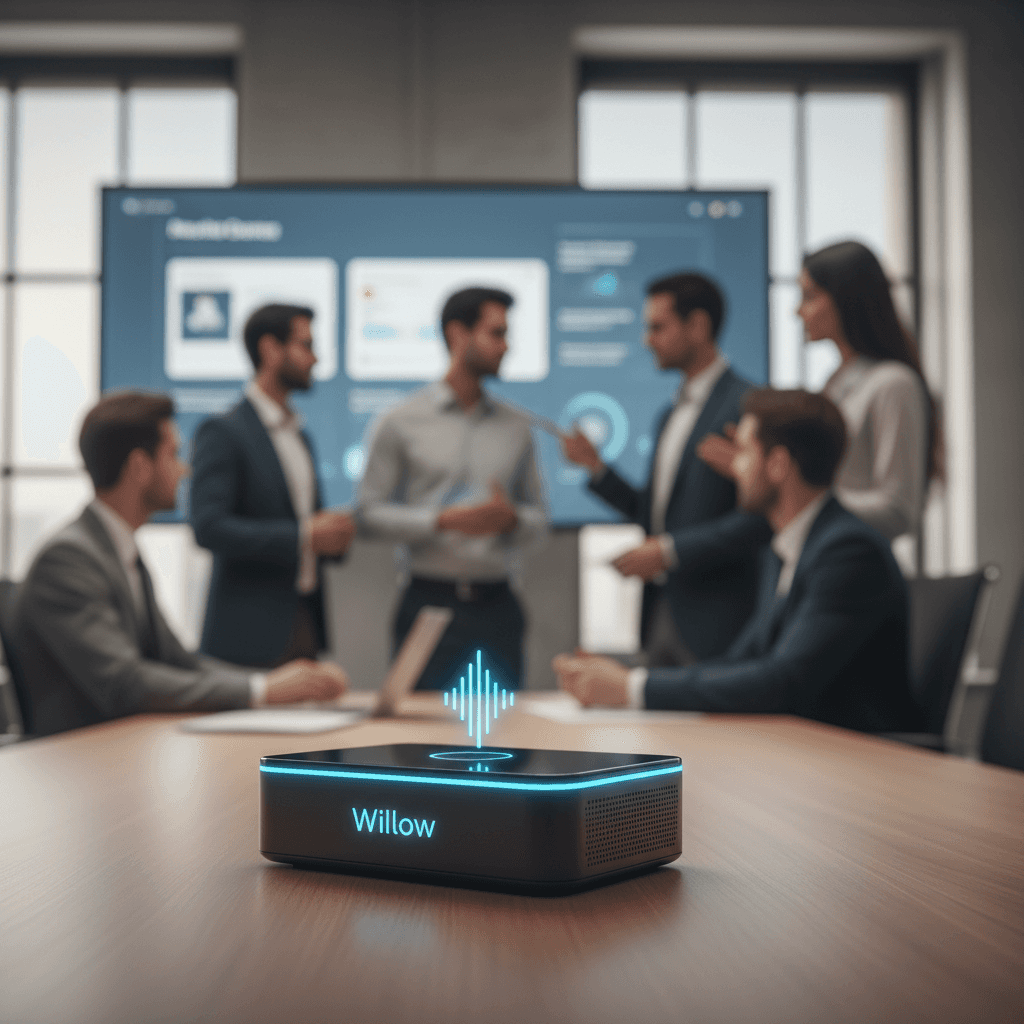
Sprint planning meetings move quickly, but the documentation that follows often drags on long after the discussion ends. Teams decide on user stories, dependencies, and acceptance criteria in real time, then someone still has to translate scattered notes into structured tickets and sprint docs later. Learning how to speed up sprint planning documentation starts with removing that gap between discussion and documentation. When sprint templates are prepared in advance and ideas are captured as people speak, your planning notes turn into usable sprint documentation immediately after the meeting. Modern voice-based documentation tools can convert spoken sprint discussions into structured notes inside the tools your team already uses, letting your documentation keep pace with the conversation itself.
TLDR:
Pre-build sprint docs before meetings to reclaim 20-30 minutes of planning time per session.
Voice dictation captures notes 3x faster than typing, keeping pace with live discussions.
Structure docs around outcomes (goals, decisions, blockers), not play-by-play transcripts.
Distributed note-taking across the team prevents a single scribe bottleneck during sprint planning.
Some modern solutions learn your team's terminology and deliver text at 200ms for real-time sprint documentation.
Pre-Document Your Sprint Goals and Context Before Meetings
Walking into a sprint planning meeting without pre-built documentation is like starting a road trip without a map. Your team spends the first 30 minutes figuring out where to write things down instead of actually planning the sprint.
The fix is simple: create your documentation structure before anyone joins the meeting. Set up a template that includes sections for sprint goals, capacity planning, backlog priorities, and key success metrics. Pre-fill any information you already know, like team member availability, known dependencies, or carry-over items from the previous sprint.
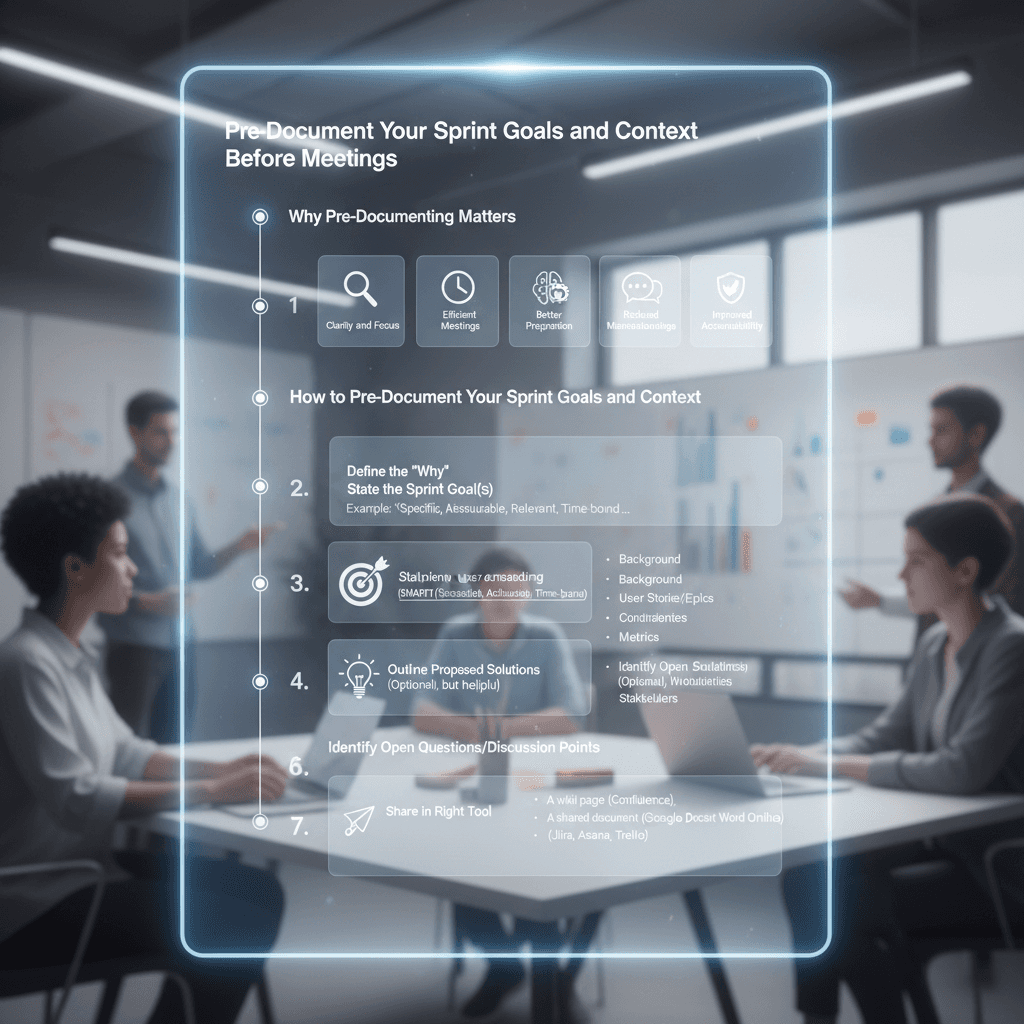
Here's why this matters: many agile teams use a rough guideline of about one hour of sprint planning for each week of sprint length. Effective time management during these sessions can free up substantial bandwidth. For example, a two-week sprint often has around two hours of sprint planning, though teams adjust this based on complexity and team size. When you pre-document your framework, you reclaim 20 to 30 minutes that would otherwise disappear into formatting discussions and "where should we write this?" debates.
That recovered time goes straight into higher-value conversations about technical approach, risk mitigation, and realistic capacity planning. Your team stops documenting during the meeting and starts actually planning the work.
Create Reusable Documentation Templates for Recurring Sprint Elements
Every sprint, teams rebuild the same documentation from scratch. User stories get reformatted. Acceptance criteria structures vary by whoever writes them first. Capacity planning spreadsheets look different each cycle.
Build a template library instead. Start with the documents you recreate every single sprint: backlog structures, user story formats, acceptance criteria frameworks, capacity planning sheets, and retrospective outlines. Save these as templates your entire team can clone and populate.
The goal is to eliminate the "how do I structure this?" question. When someone needs to document a user story, they grab the template that already includes sections for context, acceptance criteria, technical considerations, and dependencies. They fill in the specifics without reinventing the format.
Template any documentation element that appears in more than half your sprints. Customize sprint-specific goals, unique technical constraints, and one-off experiments your team wants to try.
The result is faster documentation with better consistency across your entire backlog.
Use Voice Dictation to Capture Sprint Notes and Action Items Faster
Sprint planning meetings move at the speed of conversation, but documentation moves at the speed of typing. Someone gets stuck being the scribe while everyone else talks, creating a bottleneck that slows down the entire meeting.
Voice dictation changes how this works. Instead of one person frantically typing while ideas fly around the room, whoever is speaking can record their thoughts directly into the documentation. Speech dictation is three times faster than typing, which means user stories, acceptance criteria, and action items get captured at the pace of the discussion itself.
Willow handles exactly this scenario. Press a hotkey, speak your sprint note or action item, and watch it appear in your documentation tool with proper formatting. Willow learns your team's terminology over time, so product names, technical jargon, and team member names get spelled correctly without manual cleanup. At 200ms latency, text appears nearly instantly while you're still speaking, keeping you in flow state instead of waiting for transcription to catch up.
Documentation Method | Capture Speed | Latency | Terminology Learning | Best Use Case |
|---|---|---|---|---|
Traditional Typing | 40 words per minute, creates bottleneck during fast-paced sprint discussions | Immediate but slow overall throughput | Manual correction required for all technical terms and product names | Detailed editing after meetings when speed is not critical |
Standard Dictation Tools (Wispr Flow, Apple Voice) | 150 words per minute, much faster than typing | 700ms or higher, creates noticeable pauses in workflow | Generic vocabulary with frequent errors on technical jargon and company-specific terms | General note-taking without specialized terminology requirements |
Willow Voice Dictation | 150 words per minute with real-time capture at conversation pace | 200ms, instant dictation | Learns team-specific product names, complex terminology, feature flags, and technical jargon over time | Sprint planning documentation requiring speed, accuracy, and specialized vocabulary handling |
Use Collaborative Documentation Tools with Real-Time Editing
Single-person documentation creates a knowledge bottleneck. One team member takes notes, everyone else waits for the recap email, and half the context gets lost between what was discussed and what actually made it into the docs.
Switch to collaborative documentation tools where multiple people can edit simultaneously. Google Docs, Notion, and Confluence all support real-time multi-user editing. Assign different team members to capture different parts of the sprint plan as discussions happen. One person documents user stories while another captures technical dependencies and a third tracks capacity commitments.
This distributed approach can considerably reduce post-meeting reconciliation time. Instead of one person spending an hour after the meeting cleaning up notes and filling in gaps from memory, the documentation is already complete when the meeting ends. Multiple perspectives during capture also reduce misinterpretation and missing context.
Set clear ownership zones before the meeting starts. Tell your team who's documenting what so people aren't typing over each other or leaving gaps because they assumed someone else was covering it.
Structure Sprint Documentation Around Outcomes, Not Outputs
Most teams document everything said during sprint planning and reference almost none of it later. The 12-page sprint notes sit unused while developers track down the three pieces of information they actually need: what we're building, why it matters, and what could block us.
Document outcomes instead. Capture sprint goals, key decisions that shaped your approach, critical dependencies, and acceptance criteria. Skip the play-by-play of who suggested what during discussion. Sprint planning should select the right product backlog items and set a rough idea of how to approach them, not produce word-for-word meeting transcripts.
Ask yourself what your team will need to reference mid-sprint. When someone gets blocked, they need to know the acceptance criteria and dependency chain, not the full brainstorming conversation that led there. When stakeholders check progress, they want sprint goals and success metrics, not detailed task breakdowns.
Cut documentation that serves no purpose after the meeting ends. Trim debate summaries, rejected approaches, and tangential discussions. Keep decision records, agreed scope, and clear definitions of done. Your documentation should answer "what are we building and why?" in under two pages.
Automate Sprint Documentation with Integration Between Planning and Project Management Tools
Manual transfer between planning discussions and project management systems wastes hours every sprint. Teams decide on user stories in meetings, then spend 30 to 45 minutes copying details into Jira, Linear, or Asana.
Connect documentation tools directly to your project tracking system. Many project management tools offer integrations or APIs that can sync planning documents with sprint backlogs. When you document a user story in your collaborative planning space, it creates a ticket in Linear or your chosen tool with the same description, acceptance criteria, and story points.
The highest-value integrations sync bidirectionally. Changes made in Jira during the sprint update your planning documentation, keeping everything current without duplicate entry. Story point adjustments, status updates, and blocker notes flow both directions.
Target integrations that eliminate your team's most repetitive manual entry. If you spend 20 minutes each sprint copying task assignments, automate that first. The goal is zero double-entry of information that already exists somewhere else.
How Voice Dictation Improves Sprint Planning Documentation for Agile Teams

Voice dictation solves the core sprint documentation problem: capturing detailed planning discussions at the speed teams actually talk. When your product manager explains user stories or engineers debate technical approaches, documentation shouldn't slow down the conversation.
Willow's personalization means your sprint documentation gets smarter with each planning session. The tool learns your team's product names, complex terminology, feature flags, and technical jargon. When someone mentions "the OAuth refactor for the billing microservice," Willow captures exactly that instead of garbled approximations. You spend zero time fixing terminology after meetings end.
The 200ms latency keeps documentation synchronized with discussion flow. Someone proposes acceptance criteria, you speak it, and the text appears before the next person starts talking. Your team stays in flow state without awkward pauses where everyone waits for the scribe to catch up. Standard dictation tools like Wispr Flow and Apple's built-in voice dictation clock in at 700ms or higher, creating constant friction.
For teams documenting product strategy and business logic in Asana or other tools, SOC 2 and HIPAA compliance matters. Sprint planning discussions contain competitive positioning, unannounced features, and strategic priorities that need protection.
FAQs
How can voice dictation actually speed up sprint planning documentation?
Voice input lets you capture sprint notes at 150 words per minute versus typing at 40 WPM, which means user stories and action items get documented at the speed of conversation. Willow's 200ms latency keeps text appearing in real-time while you talk, so your team stays in flow state without waiting for transcription to catch up.
When should sprint documentation focus on outcomes instead of detailed notes?
Document sprint goals, key decisions, critical dependencies, and acceptance criteria. Skip the play-by-play of who said what during discussions. Your team needs to reference what you're building and why in under two pages, not word-for-word meeting transcripts that serve no purpose mid-sprint.
How does Willow handle technical jargon in sprint planning sessions?
Willow learns your team's product names, complex terminology, and technical jargon over time, so terms like "OAuth refactor for the billing microservice" get captured correctly without manual cleanup. The personalization means your sprint documentation gets more accurate with each planning session.
Final Thoughts on Documentation That Doesn't Slow Down Your Sprints
Sprint planning documentation works best when it happens at the same pace as the conversation. When teams prepare templates ahead of time, capture decisions in real time, and use voice dictation to record user stories and acceptance criteria as they are discussed, documentation stops becoming a post-meeting chore. That approach sits at the center of learning how to speed up sprint planning documentation: remove double entry, capture outcomes while they are fresh, and keep sprint records clear and usable the moment planning ends. Tools like Willow support this workflow by converting spoken sprint discussions into structured documentation inside the tools teams already use, helping product teams finish planning sessions with complete notes instead of hours of cleanup afterward.
Sprint planning meetings move quickly, but the documentation that follows often drags on long after the discussion ends. Teams decide on user stories, dependencies, and acceptance criteria in real time, then someone still has to translate scattered notes into structured tickets and sprint docs later. Learning how to speed up sprint planning documentation starts with removing that gap between discussion and documentation. When sprint templates are prepared in advance and ideas are captured as people speak, your planning notes turn into usable sprint documentation immediately after the meeting. Modern voice-based documentation tools can convert spoken sprint discussions into structured notes inside the tools your team already uses, letting your documentation keep pace with the conversation itself.
TLDR:
Pre-build sprint docs before meetings to reclaim 20-30 minutes of planning time per session.
Voice dictation captures notes 3x faster than typing, keeping pace with live discussions.
Structure docs around outcomes (goals, decisions, blockers), not play-by-play transcripts.
Distributed note-taking across the team prevents a single scribe bottleneck during sprint planning.
Some modern solutions learn your team's terminology and deliver text at 200ms for real-time sprint documentation.
Pre-Document Your Sprint Goals and Context Before Meetings
Walking into a sprint planning meeting without pre-built documentation is like starting a road trip without a map. Your team spends the first 30 minutes figuring out where to write things down instead of actually planning the sprint.
The fix is simple: create your documentation structure before anyone joins the meeting. Set up a template that includes sections for sprint goals, capacity planning, backlog priorities, and key success metrics. Pre-fill any information you already know, like team member availability, known dependencies, or carry-over items from the previous sprint.
Here's why this matters: many agile teams use a rough guideline of about one hour of sprint planning for each week of sprint length. Effective time management during these sessions can free up substantial bandwidth. For example, a two-week sprint often has around two hours of sprint planning, though teams adjust this based on complexity and team size. When you pre-document your framework, you reclaim 20 to 30 minutes that would otherwise disappear into formatting discussions and "where should we write this?" debates.
That recovered time goes straight into higher-value conversations about technical approach, risk mitigation, and realistic capacity planning. Your team stops documenting during the meeting and starts actually planning the work.
Create Reusable Documentation Templates for Recurring Sprint Elements
Every sprint, teams rebuild the same documentation from scratch. User stories get reformatted. Acceptance criteria structures vary by whoever writes them first. Capacity planning spreadsheets look different each cycle.
Build a template library instead. Start with the documents you recreate every single sprint: backlog structures, user story formats, acceptance criteria frameworks, capacity planning sheets, and retrospective outlines. Save these as templates your entire team can clone and populate.
The goal is to eliminate the "how do I structure this?" question. When someone needs to document a user story, they grab the template that already includes sections for context, acceptance criteria, technical considerations, and dependencies. They fill in the specifics without reinventing the format.
Template any documentation element that appears in more than half your sprints. Customize sprint-specific goals, unique technical constraints, and one-off experiments your team wants to try.
The result is faster documentation with better consistency across your entire backlog.
Use Voice Dictation to Capture Sprint Notes and Action Items Faster
Sprint planning meetings move at the speed of conversation, but documentation moves at the speed of typing. Someone gets stuck being the scribe while everyone else talks, creating a bottleneck that slows down the entire meeting.
Voice dictation changes how this works. Instead of one person frantically typing while ideas fly around the room, whoever is speaking can record their thoughts directly into the documentation. Speech dictation is three times faster than typing, which means user stories, acceptance criteria, and action items get captured at the pace of the discussion itself.
Willow handles exactly this scenario. Press a hotkey, speak your sprint note or action item, and watch it appear in your documentation tool with proper formatting. Willow learns your team's terminology over time, so product names, technical jargon, and team member names get spelled correctly without manual cleanup. At 200ms latency, text appears nearly instantly while you're still speaking, keeping you in flow state instead of waiting for transcription to catch up.
Documentation Method | Capture Speed | Latency | Terminology Learning | Best Use Case |
|---|---|---|---|---|
Traditional Typing | 40 words per minute, creates bottleneck during fast-paced sprint discussions | Immediate but slow overall throughput | Manual correction required for all technical terms and product names | Detailed editing after meetings when speed is not critical |
Standard Dictation Tools (Wispr Flow, Apple Voice) | 150 words per minute, much faster than typing | 700ms or higher, creates noticeable pauses in workflow | Generic vocabulary with frequent errors on technical jargon and company-specific terms | General note-taking without specialized terminology requirements |
Willow Voice Dictation | 150 words per minute with real-time capture at conversation pace | 200ms, instant dictation | Learns team-specific product names, complex terminology, feature flags, and technical jargon over time | Sprint planning documentation requiring speed, accuracy, and specialized vocabulary handling |
Use Collaborative Documentation Tools with Real-Time Editing
Single-person documentation creates a knowledge bottleneck. One team member takes notes, everyone else waits for the recap email, and half the context gets lost between what was discussed and what actually made it into the docs.
Switch to collaborative documentation tools where multiple people can edit simultaneously. Google Docs, Notion, and Confluence all support real-time multi-user editing. Assign different team members to capture different parts of the sprint plan as discussions happen. One person documents user stories while another captures technical dependencies and a third tracks capacity commitments.
This distributed approach can considerably reduce post-meeting reconciliation time. Instead of one person spending an hour after the meeting cleaning up notes and filling in gaps from memory, the documentation is already complete when the meeting ends. Multiple perspectives during capture also reduce misinterpretation and missing context.
Set clear ownership zones before the meeting starts. Tell your team who's documenting what so people aren't typing over each other or leaving gaps because they assumed someone else was covering it.
Structure Sprint Documentation Around Outcomes, Not Outputs
Most teams document everything said during sprint planning and reference almost none of it later. The 12-page sprint notes sit unused while developers track down the three pieces of information they actually need: what we're building, why it matters, and what could block us.
Document outcomes instead. Capture sprint goals, key decisions that shaped your approach, critical dependencies, and acceptance criteria. Skip the play-by-play of who suggested what during discussion. Sprint planning should select the right product backlog items and set a rough idea of how to approach them, not produce word-for-word meeting transcripts.
Ask yourself what your team will need to reference mid-sprint. When someone gets blocked, they need to know the acceptance criteria and dependency chain, not the full brainstorming conversation that led there. When stakeholders check progress, they want sprint goals and success metrics, not detailed task breakdowns.
Cut documentation that serves no purpose after the meeting ends. Trim debate summaries, rejected approaches, and tangential discussions. Keep decision records, agreed scope, and clear definitions of done. Your documentation should answer "what are we building and why?" in under two pages.
Automate Sprint Documentation with Integration Between Planning and Project Management Tools
Manual transfer between planning discussions and project management systems wastes hours every sprint. Teams decide on user stories in meetings, then spend 30 to 45 minutes copying details into Jira, Linear, or Asana.
Connect documentation tools directly to your project tracking system. Many project management tools offer integrations or APIs that can sync planning documents with sprint backlogs. When you document a user story in your collaborative planning space, it creates a ticket in Linear or your chosen tool with the same description, acceptance criteria, and story points.
The highest-value integrations sync bidirectionally. Changes made in Jira during the sprint update your planning documentation, keeping everything current without duplicate entry. Story point adjustments, status updates, and blocker notes flow both directions.
Target integrations that eliminate your team's most repetitive manual entry. If you spend 20 minutes each sprint copying task assignments, automate that first. The goal is zero double-entry of information that already exists somewhere else.
How Voice Dictation Improves Sprint Planning Documentation for Agile Teams
Voice dictation solves the core sprint documentation problem: capturing detailed planning discussions at the speed teams actually talk. When your product manager explains user stories or engineers debate technical approaches, documentation shouldn't slow down the conversation.
Willow's personalization means your sprint documentation gets smarter with each planning session. The tool learns your team's product names, complex terminology, feature flags, and technical jargon. When someone mentions "the OAuth refactor for the billing microservice," Willow captures exactly that instead of garbled approximations. You spend zero time fixing terminology after meetings end.
The 200ms latency keeps documentation synchronized with discussion flow. Someone proposes acceptance criteria, you speak it, and the text appears before the next person starts talking. Your team stays in flow state without awkward pauses where everyone waits for the scribe to catch up. Standard dictation tools like Wispr Flow and Apple's built-in voice dictation clock in at 700ms or higher, creating constant friction.
For teams documenting product strategy and business logic in Asana or other tools, SOC 2 and HIPAA compliance matters. Sprint planning discussions contain competitive positioning, unannounced features, and strategic priorities that need protection.
FAQs
How can voice dictation actually speed up sprint planning documentation?
Voice input lets you capture sprint notes at 150 words per minute versus typing at 40 WPM, which means user stories and action items get documented at the speed of conversation. Willow's 200ms latency keeps text appearing in real-time while you talk, so your team stays in flow state without waiting for transcription to catch up.
When should sprint documentation focus on outcomes instead of detailed notes?
Document sprint goals, key decisions, critical dependencies, and acceptance criteria. Skip the play-by-play of who said what during discussions. Your team needs to reference what you're building and why in under two pages, not word-for-word meeting transcripts that serve no purpose mid-sprint.
How does Willow handle technical jargon in sprint planning sessions?
Willow learns your team's product names, complex terminology, and technical jargon over time, so terms like "OAuth refactor for the billing microservice" get captured correctly without manual cleanup. The personalization means your sprint documentation gets more accurate with each planning session.
Final Thoughts on Documentation That Doesn't Slow Down Your Sprints
Sprint planning documentation works best when it happens at the same pace as the conversation. When teams prepare templates ahead of time, capture decisions in real time, and use voice dictation to record user stories and acceptance criteria as they are discussed, documentation stops becoming a post-meeting chore. That approach sits at the center of learning how to speed up sprint planning documentation: remove double entry, capture outcomes while they are fresh, and keep sprint records clear and usable the moment planning ends. Tools like Willow support this workflow by converting spoken sprint discussions into structured documentation inside the tools teams already use, helping product teams finish planning sessions with complete notes instead of hours of cleanup afterward.

Try Willow for free
Instant, accurate voice dictation. No card required.
Try Willow for free
Instant, accurate voice dictation. No card required.
Other stories you’ll love
Other stories you’ll love


Your keyboard is optional now
" transform="translate(5 5)" width="9.791000051498413px"/></svg>)

The voice-first interface for modern work.
© Willow Care, Inc. 2026. All rights reserved
Your keyboard is optional now
The voice-first interface for modern work.
© Willow Care, Inc. 2026. All rights reserved
Your keyboard is optional now
The voice-first interface for modern work.
© Willow Care, Inc. 2026. All rights reserved