" transform="translate(5 2)" width="10px"/></svg>)

•
5 min read
How Executives Manage High-Volume Email by Voice in April 2026: 3 Frameworks to Save 4+ Hours Weekly

•
5 min read
How Executives Manage High-Volume Email by Voice in April 2026: 3 Frameworks to Save 4+ Hours Weekly
Fifty replies a day adds up quickly when every one has to be typed, turning your morning into a stretch of constant writing before real work even begins. How executives manage high-volume email by voice changes that equation by letting them speak at full speed, capturing complete thoughts in a fraction of the time it takes to type them out. With voice-based email tools, what used to take hours gets handled in short, focused bursts, without losing clarity or tone in the process.
TLDR:
Executives save 4+ hours weekly by speaking emails at 150 WPM instead of typing at 40 WPM.
Three frameworks optimize voice email: Decision Filter for instant triage, Time-Block Processing for batch clearing, and Delegation Amplification for assistant handoffs.
Voice works best for replies over 100 words, meeting follow-ups, and clearing 50+ email backlogs.
Spoken replies are warmer and more complete than typed ones; clients and colleagues notice the difference in tone and clarity.
Certain voice-based systems learn your writing patterns and corrections over time, auto-formats structure, and processes replies in 200ms with SOC 2 and HIPAA compliance.
Why Voice Dictation Is Becoming the Executive Standard for Email Management
The numbers are hard to ignore. Knowledge workers spend roughly 28% of their workweek on email, which works out to 11-12 hours in a standard workweek. For executives, that figure climbs past 15 hours weekly.
Some email users burn through 8.8 hours per week on email alone, the equivalent of a full workday spent purely on inbox management.
With 121 emails hitting inboxes daily, typing every reply is a losing strategy. Inbox zero requires speed to work in practice. At 40 words per minute, even a five-sentence response costs several minutes. Multiply that across a full inbox and you've handed the better part of your morning to a keyboard.
Voice dictation changes the math. Speaking at 150 WPM means replies that used to take five minutes now take under one. That’s why many executives at large companies are already moving in this direction. Voice is how the busiest communicators stay ahead.
The 3x Speed Advantage: Speaking at 150 WPM vs. Typing at 40 WPM
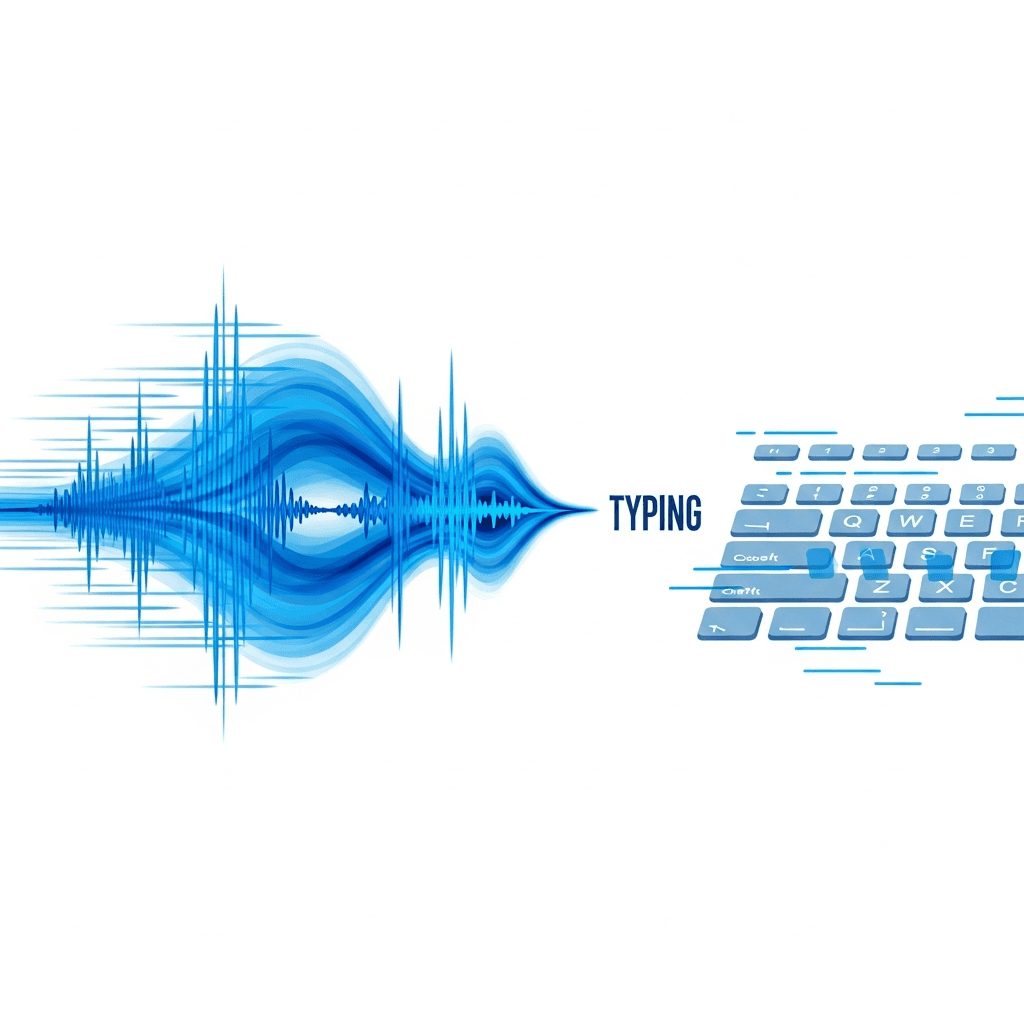
The math is simple. Conversational speech averages 150 WPM, no training required. Typing averages 40 WPM. That's a 3.75:1 ratio, meaning you speak nearly four words for every one you type.
Stanford researchers found that the gap holds even against optimized keyboard input: speech recognition produced text 3x faster. For executives managing hundreds of messages weekly, that gap compounds fast.
Consider a conservative inbox of 50 replies per day, each averaging 80 words. Typed, that's roughly 100 minutes. Spoken, it's under 30. Over five days, this can translate into several hours saved without changing what you write, only how you clear it. The message quality stays the same. The time cost drops dramatically.
Framework 1: The Decision Filter System for Voice-First Email Management
Most executives know the classic four-step triage system: Delete, Delegate, Defer, Do. The problem isn't the framework. It's that every "Do" still requires sitting down to compose a reply.
Voice removes that bottleneck at each step.
There are four distinct decisions in this system, and each one gets faster when spoken out loud.
The Four Decisions, Voice-First
Delete: Say "archive" or "skip" out loud as you scan. No clicks, no drag-and-drop.
Delegate: Speak the forwarding note immediately. "Forward to Sarah, tell her to handle the contract timeline and loop me in by Friday." Done in ten seconds.
Defer: Speak the task into your to-do app on the spot. No tab-switching required.
Do: Speak the full reply while context is fresh. Speaking naturally produces longer, clearer responses than typing under pressure.
The key shift is treating voice as the input layer across all four decisions, beyond only the "Do" step. Executives who apply this across their full inbox stop batching replies entirely. Each email gets handled once, spoken through, closed.
"The best email system is one where you never touch the same message twice. Voice just makes the first touch fast enough to actually work."
Framework 2: Time-Block Processing With Voice Batch Dictation
Time-blocking is nothing new. Most executives already carve out protected windows for deep work. The problem is that email still bleeds into those blocks because "I'll just check one thing" turns into 45 minutes of typing.
The fix is dedicating two or three short windows daily, around 20 minutes each, to voice batch processing. No keyboard. Just open the inbox, scan, and speak through the queue in sequence.
Here's how a typical batch session runs:
Open the first unread thread and speak the full reply before moving on, so your train of thought stays intact
Move to the next message without pausing to review formatting or second-guess phrasing
Work through 10 to 15 replies in a single sitting by keeping your voice moving
Let Willow's auto-formatting handle structure, sign-offs, and tone adjustments per channel automatically
What used to stretch across an entire morning compresses into focused bursts. Deep work stays protected. The inbox stays clear.
Framework 3: The Delegation Amplification System Using Voice Commands
The bottleneck in most executive-assistant relationships is handoff quality. Vague notes lead to misaligned replies, and misaligned replies mean the executive rewrites them anyway.
Voice fixes the handoff.
How the System Works
Instead of typing a quick "handle this," speak the full context in one pass. Speak the tone, the boundaries, the expected outcome. Your assistant gets a complete brief in the time it would have taken to type three lines.
Three habits make this system stick:
Speak reply guidelines as voice memos or direct messages right after reading a thread, while the context is still fresh
Set up voice shortcuts in Willow for recurring delegation patterns, like standard vendor responses or board update formats, so the full template appears in seconds
Record your preferred sign-off styles and escalation thresholds once, then reference them by shortcut instead of re-explaining each time
Why It Preserves Your Voice
When assistants draft replies, the biggest risk is that responses stop sounding like you. Spoken instructions naturally carry tone, the pacing, the directness, the warmth you would use yourself, in ways a bulleted handoff note never quite captures.
Willow's style matching reinforces this. As it learns your communication patterns, the spoken instructions you send your assistant start reflecting the same register you would use writing directly. The assistant drafts. You review. Very little changes.
Replies go out faster, escalations drop, and your assistant operates with enough context to handle threads independently.
When Voice Dictation Works Best for Executive Email
Voice pays off most in specific spots. Start there before applying it across your full inbox.
Here are the five email scenarios where dictation gives you the highest return:
Long-form responses: Any reply over 100 words is slower to type than to speak. Complex client issues, sensitive feedback, multi-part questions: speak these first.
Meeting follow-ups: Speak action items and summaries immediately after a call. Context fades fast once the next meeting starts.
Client communication: Voice naturally produces warmer, more conversational tone than typed messages written under time pressure. Clients notice the difference.
Internal team updates: Standups, project recaps, status threads. Speak them as you finish instead of returning to them later.
High-volume clearing sessions: When facing 50+ unread threads, voice batch processing moves the queue faster than any keyboard shortcut.
Get comfortable with these five, then expand from there.
Overcoming the Three Common Barriers Executives Face With Voice Adoption
Three concerns come up most often when executives first consider voice dictation.
"My office is too quiet to speak emails aloud"
Willow's Quiet Mode handles this. You can whisper and it still transcribes accurately, which means speaking softly in an open office or a shared workspace is never a problem.
"Will my replies sound unprofessional?"
Voice naturally produces complete, warmer sentences. Willow's fine-tuned email model handles structure, sign-offs, and tone automatically. The output reads like a carefully typed reply, not a rushed voice memo.
"What about accuracy with names and jargon?"
This is where tools like Wispr Flow and Apple's built-in voice dictation tend to fall short. Willow's auto-dictionary learns your corrections over time. Add client names and product terms once, and they're always recognized correctly going forward. The more you use it, the more accurate it gets for your specific vocabulary.
How Willow Delivers Zero-Edit Email Dictation for Executive Communication

Generic transcription tools like Wispr Flow and Apple's built-in voice dictation can struggle with names, formatting, and context in professional email workflows. Willow's AI voice capabilities were built for high-volume professional communication, and the difference shows across every part of the three frameworks above.
Three things separate it from anything else you'd try:
Personalization: Willow learns your writing patterns, preferred sign-offs, and corrections over time. The auto-dictionary picks up client names and internal terms automatically, getting sharper the more you use it.
Speed: 200ms latency means text appears as fast as you speak. Wispr Flow and Apple's built-in voice dictation sit at 700ms or more, which breaks your concentration mid-sentence.
Built for teams: SOC 2 certified and HIPAA compliant with zero data retention for enterprise-grade privacy, plus shared team shortcuts and a shared dictionary so your whole team benefits from the same corrections, client names, and response templates.
Style matching by channel, tone customization, shared team shortcuts, and voice shortcuts for recurring responses round it out.
Feature | Willow Voice | Wispr Flow | Apple Dictation |
|---|---|---|---|
Latency | 200ms - text appears as fast as you speak | 700ms+ - noticeable lag mid-sentence | 700ms+ - frequent delays break concentration |
Accuracy | 3x more accurate than built-in OS dictation; learns your vocabulary | General-purpose accuracy; struggles with names and jargon | Basic accuracy; drops words and mangles proper nouns |
Personalization | Auto-dictionary learns corrections, client names, and terms over time | No persistent learning; corrections reset | No correction memory; same errors repeat |
Email Formatting | Fine-tuned email model handles structure, sign-offs, and tone automatically | Raw transcription only; no email-specific formatting | Raw transcription only; no formatting intelligence |
Security | SOC 2 certified and HIPAA compliant with zero data retention | Not HIPAA compliant; limited enterprise security documentation | Tied to Apple ecosystem; no enterprise compliance certifications |
FAQs
Can I use voice dictation in a quiet office without disturbing others?
Yes. Willow's Quiet Mode lets you whisper and still get accurate transcription, so you can process email by voice in open offices, shared workspaces, or any quiet environment without disrupting colleagues around you.
Will my spoken emails sound professional or like casual voice memos?
Spoken emails through Willow sound more professional than most typed responses. The tool's style-matching handles structure, sign-offs, and tone automatically while voice naturally produces warmer, complete sentences. Clients and colleagues notice the improved quality, not the different input method.
What happens when I need to use specific client names or industry jargon?
Willow's auto-dictionary learns your corrections automatically. Add a client name or technical term once, and the tool recognizes it correctly in all future dictation, getting more accurate for your specific vocabulary the more you use it, unlike Wispr Flow or Apple's built-in voice dictation that forget corrections.
Final Thoughts on Voice-First Email Management for Executives
How executives manage high-volume email by voice comes down to removing the time cost of typing without lowering the quality of what gets sent. When responses are spoken, inbox clearing changes from a drawn-out task to a set of quick passes that keep pace with your day. Willow keeps up with your thoughts at 200ms, adapts to how you write, and produces emails that are ready to send as you finish speaking. Try Willow and see how quickly your inbox starts moving again.
Fifty replies a day adds up quickly when every one has to be typed, turning your morning into a stretch of constant writing before real work even begins. How executives manage high-volume email by voice changes that equation by letting them speak at full speed, capturing complete thoughts in a fraction of the time it takes to type them out. With voice-based email tools, what used to take hours gets handled in short, focused bursts, without losing clarity or tone in the process.
TLDR:
Executives save 4+ hours weekly by speaking emails at 150 WPM instead of typing at 40 WPM.
Three frameworks optimize voice email: Decision Filter for instant triage, Time-Block Processing for batch clearing, and Delegation Amplification for assistant handoffs.
Voice works best for replies over 100 words, meeting follow-ups, and clearing 50+ email backlogs.
Spoken replies are warmer and more complete than typed ones; clients and colleagues notice the difference in tone and clarity.
Certain voice-based systems learn your writing patterns and corrections over time, auto-formats structure, and processes replies in 200ms with SOC 2 and HIPAA compliance.
Why Voice Dictation Is Becoming the Executive Standard for Email Management
The numbers are hard to ignore. Knowledge workers spend roughly 28% of their workweek on email, which works out to 11-12 hours in a standard workweek. For executives, that figure climbs past 15 hours weekly.
Some email users burn through 8.8 hours per week on email alone, the equivalent of a full workday spent purely on inbox management.
With 121 emails hitting inboxes daily, typing every reply is a losing strategy. Inbox zero requires speed to work in practice. At 40 words per minute, even a five-sentence response costs several minutes. Multiply that across a full inbox and you've handed the better part of your morning to a keyboard.
Voice dictation changes the math. Speaking at 150 WPM means replies that used to take five minutes now take under one. That’s why many executives at large companies are already moving in this direction. Voice is how the busiest communicators stay ahead.
The 3x Speed Advantage: Speaking at 150 WPM vs. Typing at 40 WPM
The math is simple. Conversational speech averages 150 WPM, no training required. Typing averages 40 WPM. That's a 3.75:1 ratio, meaning you speak nearly four words for every one you type.
Stanford researchers found that the gap holds even against optimized keyboard input: speech recognition produced text 3x faster. For executives managing hundreds of messages weekly, that gap compounds fast.
Consider a conservative inbox of 50 replies per day, each averaging 80 words. Typed, that's roughly 100 minutes. Spoken, it's under 30. Over five days, this can translate into several hours saved without changing what you write, only how you clear it. The message quality stays the same. The time cost drops dramatically.
Framework 1: The Decision Filter System for Voice-First Email Management
Most executives know the classic four-step triage system: Delete, Delegate, Defer, Do. The problem isn't the framework. It's that every "Do" still requires sitting down to compose a reply.
Voice removes that bottleneck at each step.
There are four distinct decisions in this system, and each one gets faster when spoken out loud.
The Four Decisions, Voice-First
Delete: Say "archive" or "skip" out loud as you scan. No clicks, no drag-and-drop.
Delegate: Speak the forwarding note immediately. "Forward to Sarah, tell her to handle the contract timeline and loop me in by Friday." Done in ten seconds.
Defer: Speak the task into your to-do app on the spot. No tab-switching required.
Do: Speak the full reply while context is fresh. Speaking naturally produces longer, clearer responses than typing under pressure.
The key shift is treating voice as the input layer across all four decisions, beyond only the "Do" step. Executives who apply this across their full inbox stop batching replies entirely. Each email gets handled once, spoken through, closed.
"The best email system is one where you never touch the same message twice. Voice just makes the first touch fast enough to actually work."
Framework 2: Time-Block Processing With Voice Batch Dictation
Time-blocking is nothing new. Most executives already carve out protected windows for deep work. The problem is that email still bleeds into those blocks because "I'll just check one thing" turns into 45 minutes of typing.
The fix is dedicating two or three short windows daily, around 20 minutes each, to voice batch processing. No keyboard. Just open the inbox, scan, and speak through the queue in sequence.
Here's how a typical batch session runs:
Open the first unread thread and speak the full reply before moving on, so your train of thought stays intact
Move to the next message without pausing to review formatting or second-guess phrasing
Work through 10 to 15 replies in a single sitting by keeping your voice moving
Let Willow's auto-formatting handle structure, sign-offs, and tone adjustments per channel automatically
What used to stretch across an entire morning compresses into focused bursts. Deep work stays protected. The inbox stays clear.
Framework 3: The Delegation Amplification System Using Voice Commands
The bottleneck in most executive-assistant relationships is handoff quality. Vague notes lead to misaligned replies, and misaligned replies mean the executive rewrites them anyway.
Voice fixes the handoff.
How the System Works
Instead of typing a quick "handle this," speak the full context in one pass. Speak the tone, the boundaries, the expected outcome. Your assistant gets a complete brief in the time it would have taken to type three lines.
Three habits make this system stick:
Speak reply guidelines as voice memos or direct messages right after reading a thread, while the context is still fresh
Set up voice shortcuts in Willow for recurring delegation patterns, like standard vendor responses or board update formats, so the full template appears in seconds
Record your preferred sign-off styles and escalation thresholds once, then reference them by shortcut instead of re-explaining each time
Why It Preserves Your Voice
When assistants draft replies, the biggest risk is that responses stop sounding like you. Spoken instructions naturally carry tone, the pacing, the directness, the warmth you would use yourself, in ways a bulleted handoff note never quite captures.
Willow's style matching reinforces this. As it learns your communication patterns, the spoken instructions you send your assistant start reflecting the same register you would use writing directly. The assistant drafts. You review. Very little changes.
Replies go out faster, escalations drop, and your assistant operates with enough context to handle threads independently.
When Voice Dictation Works Best for Executive Email
Voice pays off most in specific spots. Start there before applying it across your full inbox.
Here are the five email scenarios where dictation gives you the highest return:
Long-form responses: Any reply over 100 words is slower to type than to speak. Complex client issues, sensitive feedback, multi-part questions: speak these first.
Meeting follow-ups: Speak action items and summaries immediately after a call. Context fades fast once the next meeting starts.
Client communication: Voice naturally produces warmer, more conversational tone than typed messages written under time pressure. Clients notice the difference.
Internal team updates: Standups, project recaps, status threads. Speak them as you finish instead of returning to them later.
High-volume clearing sessions: When facing 50+ unread threads, voice batch processing moves the queue faster than any keyboard shortcut.
Get comfortable with these five, then expand from there.
Overcoming the Three Common Barriers Executives Face With Voice Adoption
Three concerns come up most often when executives first consider voice dictation.
"My office is too quiet to speak emails aloud"
Willow's Quiet Mode handles this. You can whisper and it still transcribes accurately, which means speaking softly in an open office or a shared workspace is never a problem.
"Will my replies sound unprofessional?"
Voice naturally produces complete, warmer sentences. Willow's fine-tuned email model handles structure, sign-offs, and tone automatically. The output reads like a carefully typed reply, not a rushed voice memo.
"What about accuracy with names and jargon?"
This is where tools like Wispr Flow and Apple's built-in voice dictation tend to fall short. Willow's auto-dictionary learns your corrections over time. Add client names and product terms once, and they're always recognized correctly going forward. The more you use it, the more accurate it gets for your specific vocabulary.
How Willow Delivers Zero-Edit Email Dictation for Executive Communication
Generic transcription tools like Wispr Flow and Apple's built-in voice dictation can struggle with names, formatting, and context in professional email workflows. Willow's AI voice capabilities were built for high-volume professional communication, and the difference shows across every part of the three frameworks above.
Three things separate it from anything else you'd try:
Personalization: Willow learns your writing patterns, preferred sign-offs, and corrections over time. The auto-dictionary picks up client names and internal terms automatically, getting sharper the more you use it.
Speed: 200ms latency means text appears as fast as you speak. Wispr Flow and Apple's built-in voice dictation sit at 700ms or more, which breaks your concentration mid-sentence.
Built for teams: SOC 2 certified and HIPAA compliant with zero data retention for enterprise-grade privacy, plus shared team shortcuts and a shared dictionary so your whole team benefits from the same corrections, client names, and response templates.
Style matching by channel, tone customization, shared team shortcuts, and voice shortcuts for recurring responses round it out.
Feature | Willow Voice | Wispr Flow | Apple Dictation |
|---|---|---|---|
Latency | 200ms - text appears as fast as you speak | 700ms+ - noticeable lag mid-sentence | 700ms+ - frequent delays break concentration |
Accuracy | 3x more accurate than built-in OS dictation; learns your vocabulary | General-purpose accuracy; struggles with names and jargon | Basic accuracy; drops words and mangles proper nouns |
Personalization | Auto-dictionary learns corrections, client names, and terms over time | No persistent learning; corrections reset | No correction memory; same errors repeat |
Email Formatting | Fine-tuned email model handles structure, sign-offs, and tone automatically | Raw transcription only; no email-specific formatting | Raw transcription only; no formatting intelligence |
Security | SOC 2 certified and HIPAA compliant with zero data retention | Not HIPAA compliant; limited enterprise security documentation | Tied to Apple ecosystem; no enterprise compliance certifications |
FAQs
Can I use voice dictation in a quiet office without disturbing others?
Yes. Willow's Quiet Mode lets you whisper and still get accurate transcription, so you can process email by voice in open offices, shared workspaces, or any quiet environment without disrupting colleagues around you.
Will my spoken emails sound professional or like casual voice memos?
Spoken emails through Willow sound more professional than most typed responses. The tool's style-matching handles structure, sign-offs, and tone automatically while voice naturally produces warmer, complete sentences. Clients and colleagues notice the improved quality, not the different input method.
What happens when I need to use specific client names or industry jargon?
Willow's auto-dictionary learns your corrections automatically. Add a client name or technical term once, and the tool recognizes it correctly in all future dictation, getting more accurate for your specific vocabulary the more you use it, unlike Wispr Flow or Apple's built-in voice dictation that forget corrections.
Final Thoughts on Voice-First Email Management for Executives
How executives manage high-volume email by voice comes down to removing the time cost of typing without lowering the quality of what gets sent. When responses are spoken, inbox clearing changes from a drawn-out task to a set of quick passes that keep pace with your day. Willow keeps up with your thoughts at 200ms, adapts to how you write, and produces emails that are ready to send as you finish speaking. Try Willow and see how quickly your inbox starts moving again.

Try Willow for free
Instant, accurate voice dictation. No card required.
Try Willow for free
Instant, accurate voice dictation. No card required.
Other stories you’ll love
Other stories you’ll love



Your keyboard is optional now
" transform="translate(5 5)" width="9.791000051498413px"/></svg>)

The voice-first interface for modern work.
© Willow Care, Inc. 2026. All rights reserved
Your keyboard is optional now
The voice-first interface for modern work.
© Willow Care, Inc. 2026. All rights reserved
Your keyboard is optional now
The voice-first interface for modern work.
© Willow Care, Inc. 2026. All rights reserved