" transform="translate(5 2)" width="10px"/></svg>)

•
5 min read
Legal Dictation Tools for Attorneys July 2026

•
5 min read
Legal Dictation Tools for Attorneys July 2026
Attorneys spend hours drafting motions, logging client calls, and replying to emails. Documentation typically consumes 40-60% of the work week, which makes voice dictation appealing only if it can keep up with legal language without constant fixes. Speaking at 150-200+ words per minute versus typing at 40-60 WPM means a 10-page brief that takes a full day to type can take half that time to record by voice, translating to 4-6 hours saved per brief and a meaningful lift in billable hours when accuracy is high enough to skip the correction loop. General speech tools handle everyday dictation well but can struggle with case citations, Latin phrases, and practice-specific terms, creating extra correction work instead of reducing it. To see what actually works in day-to-day legal writing, we tested the leading legal voice dictation tools across case management systems, email, and document editors, including Willow Voice, a dedicated legal dictation solution designed to work wherever lawyers write, while meeting the accuracy standards legal documents require.
TLDR:
Legal dictation needs 99% accuracy for court documents with specialized terminology (per NC Bar guidance).
Willow delivers 3x fewer errors than built-in tools (98%+ accuracy) with ~200ms latency.
Dragon Legal has extensive legal vocabulary but only works on Windows applications.
Context-aware AI and custom dictionaries handle case citations and Latin phrases.
Universal voice dictation tools work across all legal software for about $12/month while keeping voice data private.
What Is Legal Voice Dictation?
Legal voice dictation is speech recognition software that converts spoken words into written text for attorneys, paralegals, and legal staff.
The difference between general dictation and legal voice dictation is accuracy with specialized terminology. Legal work requires precise documentation of case notes, client communications, briefs, and correspondence. Standard dictation tools struggle with legal jargon, case citations, and Latin phrases that appear regularly in legal writing.
Common Legal Workflows
Client Meeting Documentation. An attorney can speak notes immediately after a client statement while the conversation is still fresh, capturing roughly 80-95% of the content accurately, compared to 40-60% retention when typing while simultaneously listening. The reduction in cognitive load means less split attention during the meeting itself and fewer gaps to reconstruct afterward.
Brief Drafting. A 10-page brief that takes 8-12 hours to type can take 4-6 hours with voice to text for legal documents, with approximately 2 hours speaking through the argument and 2-4 hours editing the transcript. The time savings compound when accuracy is high enough to keep corrections minimal, avoiding the need for a full rewrite pass. For a deeper look at writing legal briefs faster, including structure and dictation techniques, see our complete guide.
Email Correspondence. Responding to opposing counsel or a client email via dictation typically takes 2-3 minutes versus 8-10 minutes at the keyboard. For attorneys who handle high email volume, that gap accumulates quickly across a full day of correspondence.
Voice dictation lets you draft motions, document client calls, or capture research notes by speaking instead of typing.
How We Ranked Legal Voice Dictation Tools
We assessed each tool across five factors that determine whether a voice dictation solution fits legal practice demands. Accuracy with legal terminology comes first: courts require 99% transcript accuracy for specialized legal terms, case citations, and Latin phrases, so a tool that stumbles on routine legal language creates more correction work than it saves. Speed and latency matter because a noticeable delay between speaking and seeing text disrupts the dictation rhythm, especially during longer briefs or client notes. Integration scope determines whether the tool works across your full software stack, including document management systems, case management software, and web-based filing tools, or only within a single application. Privacy architecture is non-negotiable: every tool handling legal work must meet attorney-client privilege standards and have a clear policy on how voice data is stored or discarded. Finally, ease of use affects whether attorneys actually adopt the tool; a solution requiring weeks of training or constant manual correction does not reduce documentation load in practice.
Willow
Willow Voice is a dedicated legal dictation tool built to work across every application attorneys use, from case management systems and email to document editors and court filing portals. It activates with a hotkey (fn on Mac, Alt+Space on Windows) and delivers transcription in under 200ms, running on Mac, Windows, and iOS.
What They Offer
Context-aware AI that recognizes legal terminology, case citations, and Latin phrases, paired with custom dictionaries for client names, matter titles, and firm-specific language
Universal compatibility across all legal software and text fields on Mac, Windows, and iOS, with no application restrictions
Zero data retention with SOC 2 Type II and HIPAA compliance, so voice input is processed without storing recordings or transcriptions
Good for: Attorneys who move between multiple applications and platforms throughout the day and need high accuracy with legal terminology from the first session.
Limitation: Requires an internet connection for AI processing, so offline dictation is not available.
Bottom line: The strongest choice for legal teams who want universal app coverage, legal-grade accuracy, and privacy built into the architecture by default, not added as an optional plan tier.
Dragon
Dragon Legal is a Windows-based speech recognition application from Nuance, built for legal documentation. It runs as installed desktop software and draws on a large pre-loaded legal vocabulary instead of learning vocabulary on the fly.
What They Offer
Legal vocabulary trained on 400 million words from legal documents, including case law terminology, statutory language, and Latin legal phrases
Custom word lists for firm-specific terminology, client names, and frequently used legal phrases
Voice commands and customizable macros for formatting legal citations, block quotes, and numbered paragraphs
Good for: Law firms running Windows-only environments that need a deep pre-loaded legal vocabulary and prefer installed desktop software over a cloud-based tool.
Limitation: Works only on Windows as installed software, with no Mac support and limited compatibility with web-based legal tools and court filing portals.
Bottom line: A solid option for Windows-only firms with a large legal vocabulary investment, though the Windows-only restriction limits its use in mixed-device or Mac environments. For a broader look at options, see our Dragon dictation alternatives guide.
Microsoft Word Voice Typing
Microsoft Word Voice Typing is a built-in speech recognition feature within Microsoft Office applications, available at no added cost for Microsoft 365 subscribers.
What They Offer
Voice typing in Word, Outlook, and PowerPoint with auto-punctuation in select applications
Cloud-based processing through Microsoft servers with no additional software to install
Included free with an existing Microsoft 365 subscription
Good for: Solo practitioners or small firms already on Microsoft 365 who need occasional dictation within Office applications and have minimal legal terminology requirements.
Limitation: Works only within Microsoft Office programs, creating friction when documenting in case management systems, web-based legal research tools, or court filing portals, and struggles with complex legal terminology.
Bottom line: A convenient no-cost option for light dictation within Office, but not a practical fit for attorneys who work across multiple applications or need accurate legal terminology recognition.
Apple Dictation
Apple Dictation is the built-in speech recognition functionality included with macOS and iOS devices at no additional cost.
What They Offer
Native integration across all Apple devices without additional software purchase required
Basic voice commands for punctuation and formatting
Limited offline dictation for short phrases, with reduced accuracy compared to online mode
Good for: Mac-using attorneys who need occasional dictation for simple correspondence and can tolerate manual corrections of legal terminology.
Limitation: Lacks context awareness for legal work, meaning case names, Latin legal terms, and specialized phrases will frequently be transcribed incorrectly, with no firm-wide custom dictionary support.
Bottom line: A free starting point for light, occasional use on Apple devices, but the accuracy gap with legal terminology makes it a poor fit for high-volume or court-facing documentation.
Google Docs Voice Typing
Google Docs Voice Typing is a speech-to-text feature built into Google's cloud-based word processor, available free for Google account holders.
What They Offer
Free voice typing inside Google Docs with support for many languages
Real-time transcription with automatic spelling correction
No additional software required beyond a Google account and a Chrome browser
Good for: Attorneys who draft documents exclusively in Google Docs and operate entirely within Google Workspace.
Limitation: Works only within Google Docs, so it cannot be used for email clients, case management software, court filing systems, or any application outside the Google browser environment.
Bottom line: Works well for voice input within Google Docs; its browser-only architecture means a separate voice input method is needed when working outside the browser.
Philips SpeechLive
Philips SpeechLive is a cloud-based dictation and workflow system that routes audio files to transcriptionists and supports AI-powered speech-to-text transcription.
What They Offer
Cloud-based audio file management and routing to transcription teams
Optional human transcription services alongside AI-powered transcription
Mobile and desktop recording capabilities with workflow management for transcription departments
Good for: Large law firms with dedicated transcription departments and budget for ongoing human transcription services.
Limitation: Attorneys must record audio, wait for processing through AI or human transcriptionists, and receive documents back later, creating delays when responding to emails or capturing time-sensitive client notes.
Bottom line: A practical choice for high-volume transcription operations with a dedicated support team, but the processing delays make it a poor fit for attorneys who need to speak text and use it immediately.
Legal Voice Dictation Tools Compared
Tool | Price | OS Support | Accuracy with Legal Terms | Integration Scope | Privacy / Data | Best For |
|---|---|---|---|---|---|---|
Willow Voice | Free; $12/mo (Individual); $10/user/mo (Team) | Mac, Windows, iOS | 98%+ (3x fewer errors than built-in tools) | Universal: any app or text field | Zero data retention; SOC 2 Type II; HIPAA compliant | Attorneys who move across multiple apps and platforms |
Dragon Legal | $500+ one-time | Windows only | High, trained on 400M legal words | Windows desktop apps only | Local processing option available | Windows-only firms needing deep pre-loaded legal vocabulary |
Microsoft Word Voice Typing | Free with Microsoft 365 | Windows, Mac | Basic; struggles with legal terminology | Office apps only (Word, Outlook, PowerPoint) | Cloud (Microsoft servers) | Occasional dictation within Office apps |
Apple Dictation | Free | macOS, iOS | Basic; no legal context awareness | Apple apps only | Cloud; limited offline for short phrases | Simple correspondence on Mac with low legal terminology volume |
Google Docs Voice Typing | Free | Web (any OS) | Basic; no specialized legal formatting | Google Docs only | Cloud (Google servers) | Attorneys who draft exclusively in Google Docs |
Philips SpeechLive | Varies by plan | Cloud-based (any OS) | AI + optional human transcription | Workflow routing to transcription teams | Cloud storage | Large firms with dedicated transcription departments |
Why Attorneys Choose Willow Voice for Legal Dictation
Willow works across case management systems, email, and document editors without forcing attorneys to change how they work. Instead of locking dictation to a single app or operating system, it runs anywhere text can be entered, making it practical for real legal workflows that move constantly between documents, inboxes, and web-based tools. Activation is instant, transcription appears almost immediately, and there’s no separate interface to manage or software environment to learn.
The system's context-aware AI recognizes legal terminology as you speak, reducing errors with case citations, Latin phrases, statutes, and procedural language. Custom dictionaries allow firms to add client names, matter titles, jurisdictions, and internal terminology so repeated corrections aren't required. This makes it possible to draft motions, client notes, and correspondence by voice with confidence that the output will be usable without extensive cleanup.
Privacy is also built into how Willow operates. Voice input is processed without storing recordings or text, which supports attorney-client confidentiality and aligns with professional responsibility standards. Combined with consistent accuracy, fast response time, and a simple monthly cost, Willow offers a legal dictation experience that fits daily practice instead of interrupting it, giving attorneys a faster way to document work while staying focused on legal analysis and client service.
Getting Started with Legal Voice Dictation
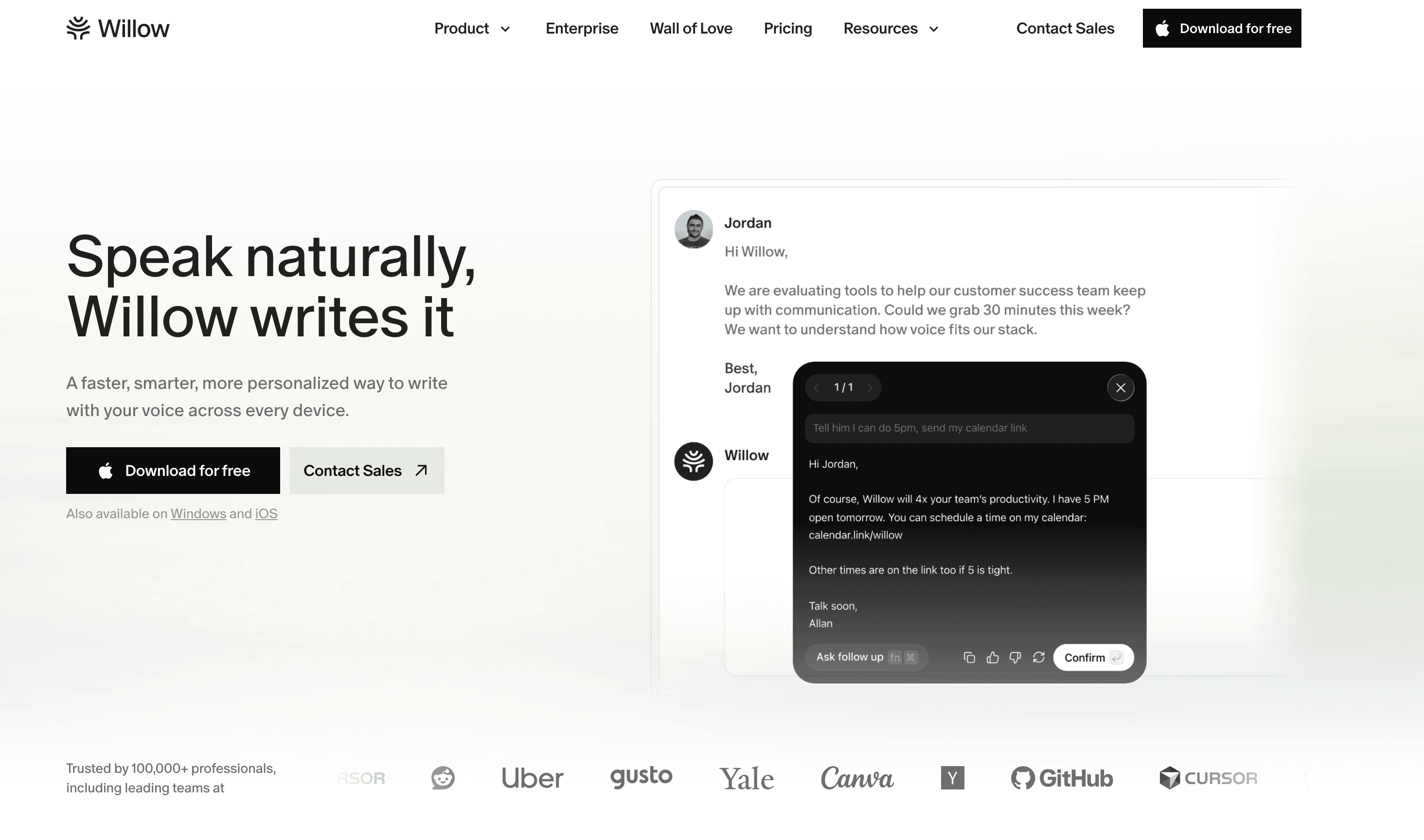
Adopting voice dictation works best as a staged process, starting narrow and expanding as accuracy builds. Here's a practical sequence for legal professionals new to dictation.
Assess your current workflow. Identify where documentation volume is highest: briefs, client intake notes, correspondence, or deposition summaries. These are your highest-return starting points, but you'll build toward them, not start there.
Choose a tool based on your environment. Match your selection to your OS, budget, and software stack. Windows-only firms with a large legal vocabulary investment may fit Dragon Legal; Mac users and those who move across multiple applications will find a universal tool more practical. Revisit the comparison table above before deciding.
Start with low-stakes documents. Internal emails, quick case notes, and draft memos let you calibrate the tool's accuracy without the risk of errors reaching a filing. Spend a week here before moving to anything client-facing.
Build your custom dictionary. Add frequently used case names, statutes, Latin phrases, client names, and firm-specific terminology before drafting anything substantive. This is where accuracy gains compound: a pre-loaded vocabulary closes the correction loop before it opens.
Expand to complex documents. Once correction rates are low on routine correspondence, move voice recording into motions, briefs, and client letters. Track where manual edits concentrate; those patterns tell you what to add to the dictionary next.
Final thoughts on speech to text for lawyers
Speech to text for lawyers has reached a point where accuracy no longer has to be traded for speed or convenience. Attorneys can keep correcting generic dictation tools and working around app restrictions, or use legal voice dictation software that fits how legal work actually happens across email, case management systems, and documents. Willow reflects this shift by delivering reliable transcription without long training cycles or software lock-in, letting lawyers speak text where they already work and spend less time fixing output. The right tool isn't the one with the longest feature list, but the one that reduces daily friction and returns time to client work instead of documentation.
FAQs
Which legal voice dictation tool is best for solo practitioners on a budget?
If you're already using Microsoft 365, Word Voice Typing is included free and works for basic correspondence within Office apps. For more accuracy across all your legal software, Willow offers professional-grade transcription at $12/month with no complex setup required.
How do I choose between Dragon Legal and Willow for my law firm?
Dragon Legal works best if you're Windows-only and need extensive pre-loaded legal vocabulary, but it requires working within specific applications. Willow works universally across all your legal software on Mac, learns your terminology through custom dictionaries, and delivers faster processing with simpler setup.
Can voice dictation tools maintain attorney-client privilege and confidentiality?
Yes, but privacy protections vary by tool. Willow processes voice input without retaining recordings or transcriptions after processing, Dragon Legal offers local processing options, while Microsoft, Apple, and Google route audio through their cloud servers. Review each tool's data handling policies against your firm's confidentiality requirements before implementation.
What accuracy rate should I expect from legal voice dictation software?
Courts require 99% accuracy for legal transcripts, but most general dictation tools fall short with specialized terminology. Tools with legal-specific training or context-aware AI like Willow (40%+ above built-in tools) or Dragon Legal (trained on 400M legal words) deliver higher accuracy with case citations and Latin phrases than free options.
Which voice dictation tool works best for attorneys who use multiple applications daily?
Willow works universally across case management systems, email clients, document editors, and web applications with a single hotkey. Dragon Legal, Microsoft Word Voice Typing, Apple Dictation, and Google Docs Voice Typing limit you to specific applications, creating workflow disruption when switching between legal software.
Attorneys spend hours drafting motions, logging client calls, and replying to emails. Documentation typically consumes 40-60% of the work week, which makes voice dictation appealing only if it can keep up with legal language without constant fixes. Speaking at 150-200+ words per minute versus typing at 40-60 WPM means a 10-page brief that takes a full day to type can take half that time to record by voice, translating to 4-6 hours saved per brief and a meaningful lift in billable hours when accuracy is high enough to skip the correction loop. General speech tools handle everyday dictation well but can struggle with case citations, Latin phrases, and practice-specific terms, creating extra correction work instead of reducing it. To see what actually works in day-to-day legal writing, we tested the leading legal voice dictation tools across case management systems, email, and document editors, including Willow Voice, a dedicated legal dictation solution designed to work wherever lawyers write, while meeting the accuracy standards legal documents require.
TLDR:
Legal dictation needs 99% accuracy for court documents with specialized terminology (per NC Bar guidance).
Willow delivers 3x fewer errors than built-in tools (98%+ accuracy) with ~200ms latency.
Dragon Legal has extensive legal vocabulary but only works on Windows applications.
Context-aware AI and custom dictionaries handle case citations and Latin phrases.
Universal voice dictation tools work across all legal software for about $12/month while keeping voice data private.
What Is Legal Voice Dictation?
Legal voice dictation is speech recognition software that converts spoken words into written text for attorneys, paralegals, and legal staff.
The difference between general dictation and legal voice dictation is accuracy with specialized terminology. Legal work requires precise documentation of case notes, client communications, briefs, and correspondence. Standard dictation tools struggle with legal jargon, case citations, and Latin phrases that appear regularly in legal writing.
Common Legal Workflows
Client Meeting Documentation. An attorney can speak notes immediately after a client statement while the conversation is still fresh, capturing roughly 80-95% of the content accurately, compared to 40-60% retention when typing while simultaneously listening. The reduction in cognitive load means less split attention during the meeting itself and fewer gaps to reconstruct afterward.
Brief Drafting. A 10-page brief that takes 8-12 hours to type can take 4-6 hours with voice to text for legal documents, with approximately 2 hours speaking through the argument and 2-4 hours editing the transcript. The time savings compound when accuracy is high enough to keep corrections minimal, avoiding the need for a full rewrite pass. For a deeper look at writing legal briefs faster, including structure and dictation techniques, see our complete guide.
Email Correspondence. Responding to opposing counsel or a client email via dictation typically takes 2-3 minutes versus 8-10 minutes at the keyboard. For attorneys who handle high email volume, that gap accumulates quickly across a full day of correspondence.
Voice dictation lets you draft motions, document client calls, or capture research notes by speaking instead of typing.
How We Ranked Legal Voice Dictation Tools
We assessed each tool across five factors that determine whether a voice dictation solution fits legal practice demands. Accuracy with legal terminology comes first: courts require 99% transcript accuracy for specialized legal terms, case citations, and Latin phrases, so a tool that stumbles on routine legal language creates more correction work than it saves. Speed and latency matter because a noticeable delay between speaking and seeing text disrupts the dictation rhythm, especially during longer briefs or client notes. Integration scope determines whether the tool works across your full software stack, including document management systems, case management software, and web-based filing tools, or only within a single application. Privacy architecture is non-negotiable: every tool handling legal work must meet attorney-client privilege standards and have a clear policy on how voice data is stored or discarded. Finally, ease of use affects whether attorneys actually adopt the tool; a solution requiring weeks of training or constant manual correction does not reduce documentation load in practice.
Willow
Willow Voice is a dedicated legal dictation tool built to work across every application attorneys use, from case management systems and email to document editors and court filing portals. It activates with a hotkey (fn on Mac, Alt+Space on Windows) and delivers transcription in under 200ms, running on Mac, Windows, and iOS.
What They Offer
Context-aware AI that recognizes legal terminology, case citations, and Latin phrases, paired with custom dictionaries for client names, matter titles, and firm-specific language
Universal compatibility across all legal software and text fields on Mac, Windows, and iOS, with no application restrictions
Zero data retention with SOC 2 Type II and HIPAA compliance, so voice input is processed without storing recordings or transcriptions
Good for: Attorneys who move between multiple applications and platforms throughout the day and need high accuracy with legal terminology from the first session.
Limitation: Requires an internet connection for AI processing, so offline dictation is not available.
Bottom line: The strongest choice for legal teams who want universal app coverage, legal-grade accuracy, and privacy built into the architecture by default, not added as an optional plan tier.
Dragon
Dragon Legal is a Windows-based speech recognition application from Nuance, built for legal documentation. It runs as installed desktop software and draws on a large pre-loaded legal vocabulary instead of learning vocabulary on the fly.
What They Offer
Legal vocabulary trained on 400 million words from legal documents, including case law terminology, statutory language, and Latin legal phrases
Custom word lists for firm-specific terminology, client names, and frequently used legal phrases
Voice commands and customizable macros for formatting legal citations, block quotes, and numbered paragraphs
Good for: Law firms running Windows-only environments that need a deep pre-loaded legal vocabulary and prefer installed desktop software over a cloud-based tool.
Limitation: Works only on Windows as installed software, with no Mac support and limited compatibility with web-based legal tools and court filing portals.
Bottom line: A solid option for Windows-only firms with a large legal vocabulary investment, though the Windows-only restriction limits its use in mixed-device or Mac environments. For a broader look at options, see our Dragon dictation alternatives guide.
Microsoft Word Voice Typing
Microsoft Word Voice Typing is a built-in speech recognition feature within Microsoft Office applications, available at no added cost for Microsoft 365 subscribers.
What They Offer
Voice typing in Word, Outlook, and PowerPoint with auto-punctuation in select applications
Cloud-based processing through Microsoft servers with no additional software to install
Included free with an existing Microsoft 365 subscription
Good for: Solo practitioners or small firms already on Microsoft 365 who need occasional dictation within Office applications and have minimal legal terminology requirements.
Limitation: Works only within Microsoft Office programs, creating friction when documenting in case management systems, web-based legal research tools, or court filing portals, and struggles with complex legal terminology.
Bottom line: A convenient no-cost option for light dictation within Office, but not a practical fit for attorneys who work across multiple applications or need accurate legal terminology recognition.
Apple Dictation
Apple Dictation is the built-in speech recognition functionality included with macOS and iOS devices at no additional cost.
What They Offer
Native integration across all Apple devices without additional software purchase required
Basic voice commands for punctuation and formatting
Limited offline dictation for short phrases, with reduced accuracy compared to online mode
Good for: Mac-using attorneys who need occasional dictation for simple correspondence and can tolerate manual corrections of legal terminology.
Limitation: Lacks context awareness for legal work, meaning case names, Latin legal terms, and specialized phrases will frequently be transcribed incorrectly, with no firm-wide custom dictionary support.
Bottom line: A free starting point for light, occasional use on Apple devices, but the accuracy gap with legal terminology makes it a poor fit for high-volume or court-facing documentation.
Google Docs Voice Typing
Google Docs Voice Typing is a speech-to-text feature built into Google's cloud-based word processor, available free for Google account holders.
What They Offer
Free voice typing inside Google Docs with support for many languages
Real-time transcription with automatic spelling correction
No additional software required beyond a Google account and a Chrome browser
Good for: Attorneys who draft documents exclusively in Google Docs and operate entirely within Google Workspace.
Limitation: Works only within Google Docs, so it cannot be used for email clients, case management software, court filing systems, or any application outside the Google browser environment.
Bottom line: Works well for voice input within Google Docs; its browser-only architecture means a separate voice input method is needed when working outside the browser.
Philips SpeechLive
Philips SpeechLive is a cloud-based dictation and workflow system that routes audio files to transcriptionists and supports AI-powered speech-to-text transcription.
What They Offer
Cloud-based audio file management and routing to transcription teams
Optional human transcription services alongside AI-powered transcription
Mobile and desktop recording capabilities with workflow management for transcription departments
Good for: Large law firms with dedicated transcription departments and budget for ongoing human transcription services.
Limitation: Attorneys must record audio, wait for processing through AI or human transcriptionists, and receive documents back later, creating delays when responding to emails or capturing time-sensitive client notes.
Bottom line: A practical choice for high-volume transcription operations with a dedicated support team, but the processing delays make it a poor fit for attorneys who need to speak text and use it immediately.
Legal Voice Dictation Tools Compared
Tool | Price | OS Support | Accuracy with Legal Terms | Integration Scope | Privacy / Data | Best For |
|---|---|---|---|---|---|---|
Willow Voice | Free; $12/mo (Individual); $10/user/mo (Team) | Mac, Windows, iOS | 98%+ (3x fewer errors than built-in tools) | Universal: any app or text field | Zero data retention; SOC 2 Type II; HIPAA compliant | Attorneys who move across multiple apps and platforms |
Dragon Legal | $500+ one-time | Windows only | High, trained on 400M legal words | Windows desktop apps only | Local processing option available | Windows-only firms needing deep pre-loaded legal vocabulary |
Microsoft Word Voice Typing | Free with Microsoft 365 | Windows, Mac | Basic; struggles with legal terminology | Office apps only (Word, Outlook, PowerPoint) | Cloud (Microsoft servers) | Occasional dictation within Office apps |
Apple Dictation | Free | macOS, iOS | Basic; no legal context awareness | Apple apps only | Cloud; limited offline for short phrases | Simple correspondence on Mac with low legal terminology volume |
Google Docs Voice Typing | Free | Web (any OS) | Basic; no specialized legal formatting | Google Docs only | Cloud (Google servers) | Attorneys who draft exclusively in Google Docs |
Philips SpeechLive | Varies by plan | Cloud-based (any OS) | AI + optional human transcription | Workflow routing to transcription teams | Cloud storage | Large firms with dedicated transcription departments |
Why Attorneys Choose Willow Voice for Legal Dictation
Willow works across case management systems, email, and document editors without forcing attorneys to change how they work. Instead of locking dictation to a single app or operating system, it runs anywhere text can be entered, making it practical for real legal workflows that move constantly between documents, inboxes, and web-based tools. Activation is instant, transcription appears almost immediately, and there’s no separate interface to manage or software environment to learn.
The system's context-aware AI recognizes legal terminology as you speak, reducing errors with case citations, Latin phrases, statutes, and procedural language. Custom dictionaries allow firms to add client names, matter titles, jurisdictions, and internal terminology so repeated corrections aren't required. This makes it possible to draft motions, client notes, and correspondence by voice with confidence that the output will be usable without extensive cleanup.
Privacy is also built into how Willow operates. Voice input is processed without storing recordings or text, which supports attorney-client confidentiality and aligns with professional responsibility standards. Combined with consistent accuracy, fast response time, and a simple monthly cost, Willow offers a legal dictation experience that fits daily practice instead of interrupting it, giving attorneys a faster way to document work while staying focused on legal analysis and client service.
Getting Started with Legal Voice Dictation
Adopting voice dictation works best as a staged process, starting narrow and expanding as accuracy builds. Here's a practical sequence for legal professionals new to dictation.
Assess your current workflow. Identify where documentation volume is highest: briefs, client intake notes, correspondence, or deposition summaries. These are your highest-return starting points, but you'll build toward them, not start there.
Choose a tool based on your environment. Match your selection to your OS, budget, and software stack. Windows-only firms with a large legal vocabulary investment may fit Dragon Legal; Mac users and those who move across multiple applications will find a universal tool more practical. Revisit the comparison table above before deciding.
Start with low-stakes documents. Internal emails, quick case notes, and draft memos let you calibrate the tool's accuracy without the risk of errors reaching a filing. Spend a week here before moving to anything client-facing.
Build your custom dictionary. Add frequently used case names, statutes, Latin phrases, client names, and firm-specific terminology before drafting anything substantive. This is where accuracy gains compound: a pre-loaded vocabulary closes the correction loop before it opens.
Expand to complex documents. Once correction rates are low on routine correspondence, move voice recording into motions, briefs, and client letters. Track where manual edits concentrate; those patterns tell you what to add to the dictionary next.
Final thoughts on speech to text for lawyers
Speech to text for lawyers has reached a point where accuracy no longer has to be traded for speed or convenience. Attorneys can keep correcting generic dictation tools and working around app restrictions, or use legal voice dictation software that fits how legal work actually happens across email, case management systems, and documents. Willow reflects this shift by delivering reliable transcription without long training cycles or software lock-in, letting lawyers speak text where they already work and spend less time fixing output. The right tool isn't the one with the longest feature list, but the one that reduces daily friction and returns time to client work instead of documentation.
FAQs
Which legal voice dictation tool is best for solo practitioners on a budget?
If you're already using Microsoft 365, Word Voice Typing is included free and works for basic correspondence within Office apps. For more accuracy across all your legal software, Willow offers professional-grade transcription at $12/month with no complex setup required.
How do I choose between Dragon Legal and Willow for my law firm?
Dragon Legal works best if you're Windows-only and need extensive pre-loaded legal vocabulary, but it requires working within specific applications. Willow works universally across all your legal software on Mac, learns your terminology through custom dictionaries, and delivers faster processing with simpler setup.
Can voice dictation tools maintain attorney-client privilege and confidentiality?
Yes, but privacy protections vary by tool. Willow processes voice input without retaining recordings or transcriptions after processing, Dragon Legal offers local processing options, while Microsoft, Apple, and Google route audio through their cloud servers. Review each tool's data handling policies against your firm's confidentiality requirements before implementation.
What accuracy rate should I expect from legal voice dictation software?
Courts require 99% accuracy for legal transcripts, but most general dictation tools fall short with specialized terminology. Tools with legal-specific training or context-aware AI like Willow (40%+ above built-in tools) or Dragon Legal (trained on 400M legal words) deliver higher accuracy with case citations and Latin phrases than free options.
Which voice dictation tool works best for attorneys who use multiple applications daily?
Willow works universally across case management systems, email clients, document editors, and web applications with a single hotkey. Dragon Legal, Microsoft Word Voice Typing, Apple Dictation, and Google Docs Voice Typing limit you to specific applications, creating workflow disruption when switching between legal software.

Try Willow for free
Instant, accurate voice dictation. No card required.
Try Willow for free
Instant, accurate voice dictation. No card required.
Other stories you’ll love
Other stories you’ll love


Your keyboard is optional now
" transform="translate(5 5)" width="9.791000051498413px"/></svg>)

The voice-first interface for modern work.
© Willow Care, Inc. 2026. All rights reserved
Your keyboard is optional now
The voice-first interface for modern work.
© Willow Care, Inc. 2026. All rights reserved
Your keyboard is optional now
The voice-first interface for modern work.
© Willow Care, Inc. 2026. All rights reserved