" transform="translate(5 2)" width="10px"/></svg>)

•
5 min read
Best Vibe Coding Tools for Developers in June 2026

•
5 min read
Best Vibe Coding Tools for Developers in June 2026
Vibe coding tools are taking over developer workflows. Instead of wrestling with syntax, developers now collaborate with AI to turn ideas into working software, standing up a prototype in an afternoon instead of weeks. Junior developers ship faster, founders validate ideas without a full team, and designers turn mockups into real UI. Whether you're prompting Cursor or explaining logic to ChatGPT, vibe coding is changing how we build software.
TLDR:
Vibe coding lets you build apps by speaking to AI instead of typing code manually.
Lovable and Bolt lead full-stack development, while Cursor excels for IDE integration.
Free tiers from Cursor, Replit, and GitHub Copilot let you start without upfront costs.
v0 by Vercel is the go-to for generating polished React UI components.
Voice dictation tools make vibe coding up to 5x faster than typing prompts by hand.
What is Vibe Coding?
Vibe coding is a shift in how we build software. The term was coined by AI researcher Andrej Karpathy in early 2025, describing a workflow where developers guide AI assistants to generate, refine, and debug applications through conversational interaction with AI.
It is reshaping software development from manual syntax to natural language, letting you build apps by describing your ideas. The AI handles implementation while you focus on the creative and strategic work. For a deeper primer, see our complete guide to vibe coding.
Vibe coding democratizes software creation. You don't need to be a syntax expert or remember every API call, and the barrier between having an idea and seeing it work has never been lower.
Vibe Coding Tools at a Glance
Compare the main options side by side to spot which tool matches how you work, what you're building, and your budget. Detailed breakdowns follow below.
Tool | Type | Best For | Pricing | Key Features | Limitations |
|---|---|---|---|---|---|
Lovable | Full-Stack | New apps, balanced builds | Free tier; paid plans available | Frontend + backend handling, smooth early-stage builds | Daily token limits, less control over fine details |
Bolt | Full-Stack | Rapid prototyping, beginners | Free tier; paid plans available | Fast iteration, intuitive interface, context retention | Token caps, can drift on large projects |
Cursor | IDE | Existing codebases | Free tier; Pro paid plan | Codebase-aware AI, inline edits, refactoring | Learning curve, best with local setup |
GitHub Copilot | IDE | Inline autocomplete | Free for students/OSS; paid plans | Comment-to-code, agent mode, wide IDE support | Less full-project context than Cursor |
Replit | Cloud | Browser builds, teams | Free tier; paid plans available | No local setup, live collaboration, AI explanations | Browser-bound, performance tied to connection |
v0 by Vercel | Cloud | React UI components | Free tier; paid plans available | Polished UI generation, Next.js + Vercel fit | UI-focused, not full-stack |
Top Full-Stack Vibe Coding Tools
Lovable
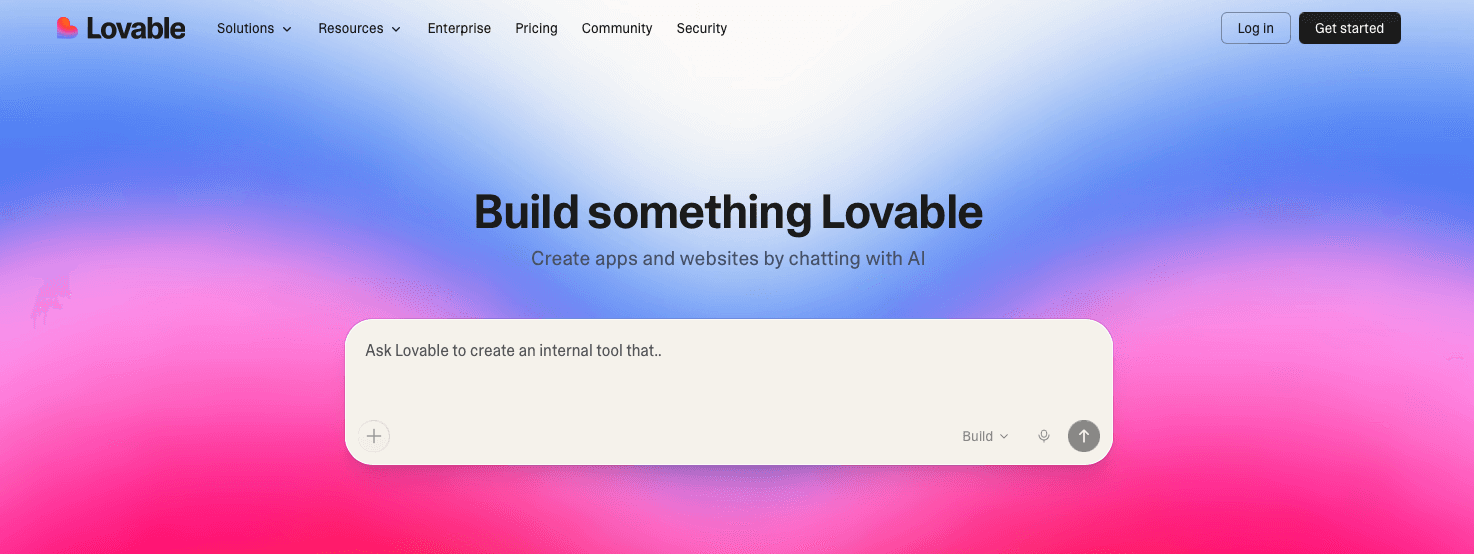
Lovable delivers the most balanced full-stack experience on many developers' lists. The starting design is smooth, functionality works reliably, and it handles both frontend and backend without bogging you down in configuration. It also pairs well with voice dictation, so you can speak your requirements instead of typing them.
Pricing & AI models: Lovable offers a free tier with daily message limits, with paid plans that unlock more daily messages and private projects. Under the hood it taps frontier models like Anthropic's Claude and OpenAI's GPT family to handle code generation across the stack.
Pros & Cons
Pros: Balanced frontend and backend handling, smooth early-stage builds, friendly for first projects
Cons: Daily token limits and less control over fine-grained details
Bolt
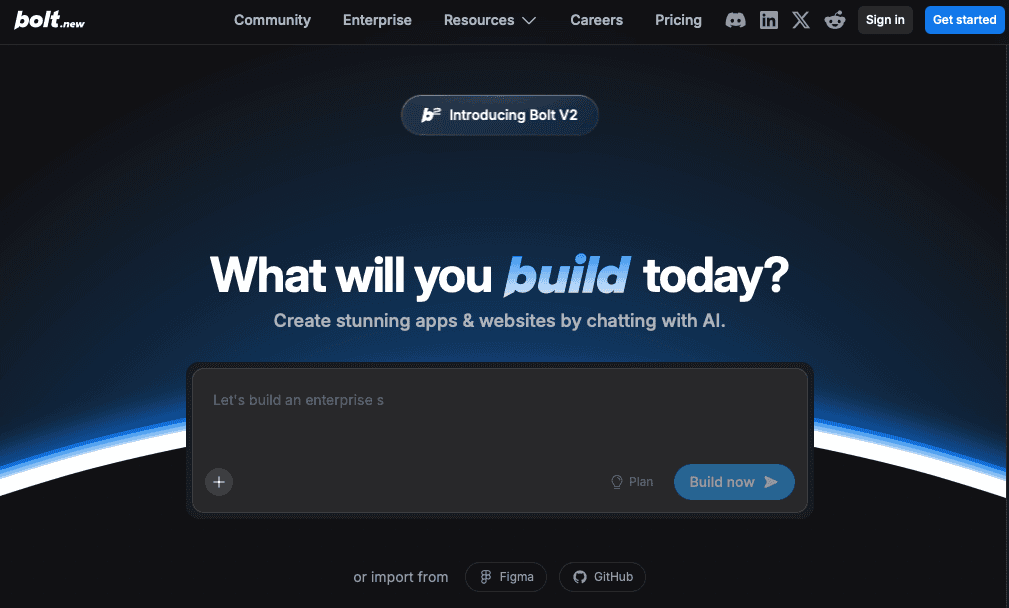
Bolt shares the throne with Lovable, with a remarkably similar experience that's great for your first vibe coding project. Many developers rotate between both to stretch daily token limits. It excels at rapid prototyping: the interface feels intuitive from first use, and the AI retains enough context that you can start with "build me a task management app," then add "team collaboration" or "calendar sync" without it losing track of your codebase.
Pricing & AI models: Bolt provides a free tier with a daily token allowance and paid plans that raise those caps for heavier builds. It runs on Anthropic's Claude models, which power its in-browser full-stack code generation.
Pros & Cons
Pros: Fast iteration, intuitive interface, strong context retention across changes
Cons: Token caps and occasional drift on large projects
Best IDE-Based Vibe Coding Tools
Cursor
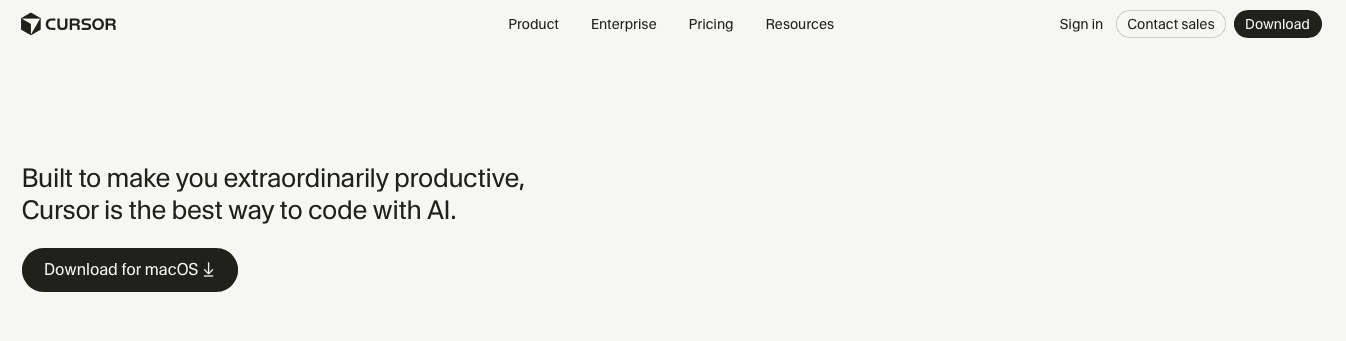
Cursor is the leading AI-powered code editor because it was built from the ground up around AI models instead of bolting them on. It understands your entire codebase context, so when you modify a function it knows the related components, dependencies, and patterns, keeping suggestions accurate and consistent with your code style. You can select code and ask "why is this function slow?" or "refactor this to use React hooks," and the AI generates code and explains its reasoning.
Pricing & AI models: Cursor has a free Hobby tier and a paid Pro plan that adds more fast requests and premium model access. You can pick between models from Anthropic (Claude), OpenAI (GPT), and Google (Gemini) depending on the task. For more on getting the most from it, see our guide to using Cursor AI effectively.
Pros & Cons
Pros: Codebase-aware AI, inline edits, strong refactoring on existing projects
Cons: Has a learning curve and works best with a local setup
GitHub Copilot
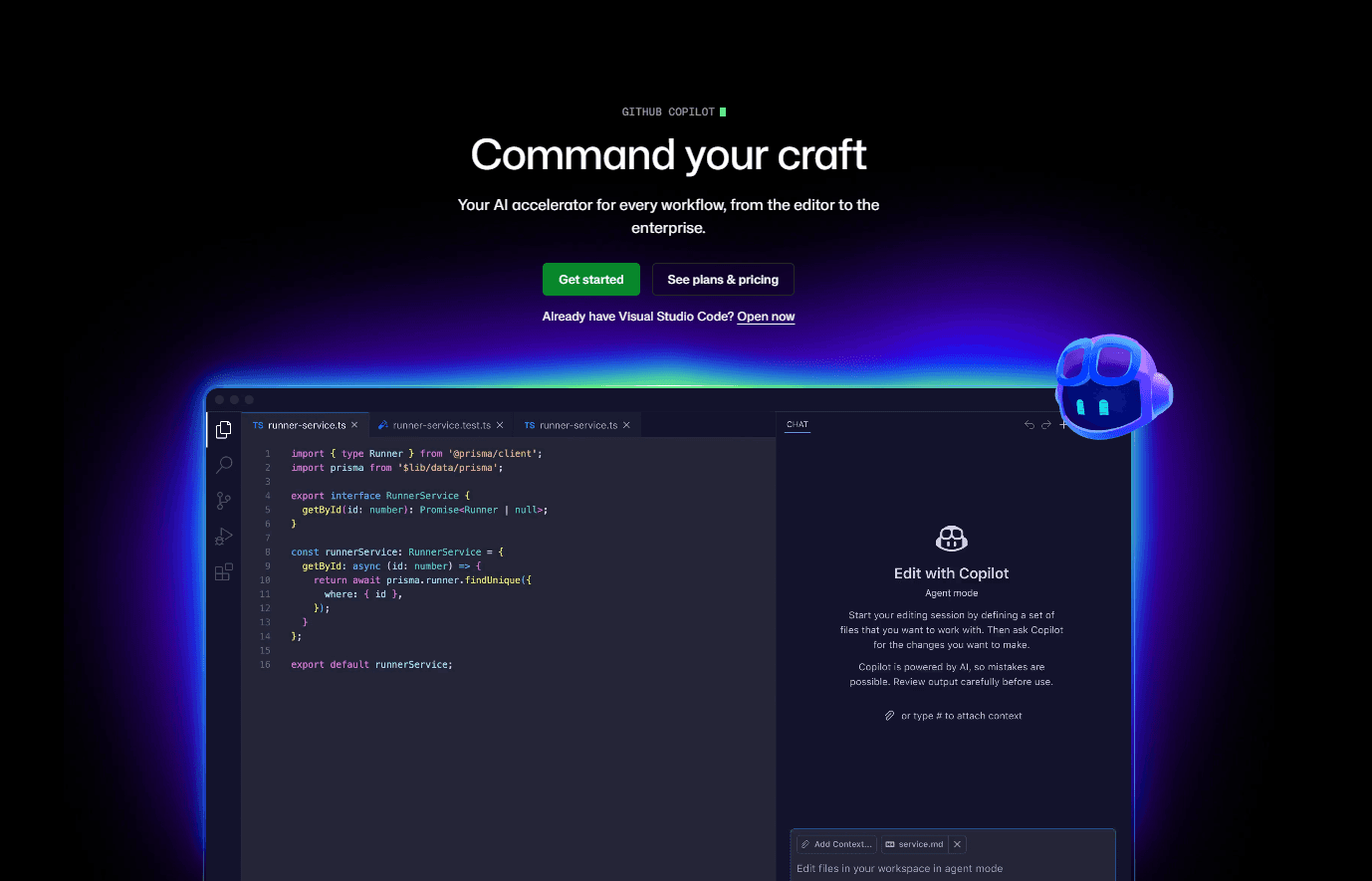
GitHub Copilot brought vibe coding into mainstream developer consciousness. Integrated into IDEs like VS Code, it turns natural language comments into code, from single lines to entire functions, following patterns learned from billions of lines of public code. Its newer agent mode adds extended discussions about architecture, debugging, and optimization, like a senior developer on call.
Pricing & AI models: Copilot has a free tier with limited monthly completions and chats, plus paid Pro and Business plans for unlimited use. It lets you choose between models from OpenAI (GPT), Anthropic (Claude), and Google (Gemini) right inside the IDE.
Pros & Cons
Pros: Comment-to-code suggestions, agent mode, wide IDE support
Cons: Less full-project context than Cursor
Cloud-Based Vibe Coding Solutions
Replit
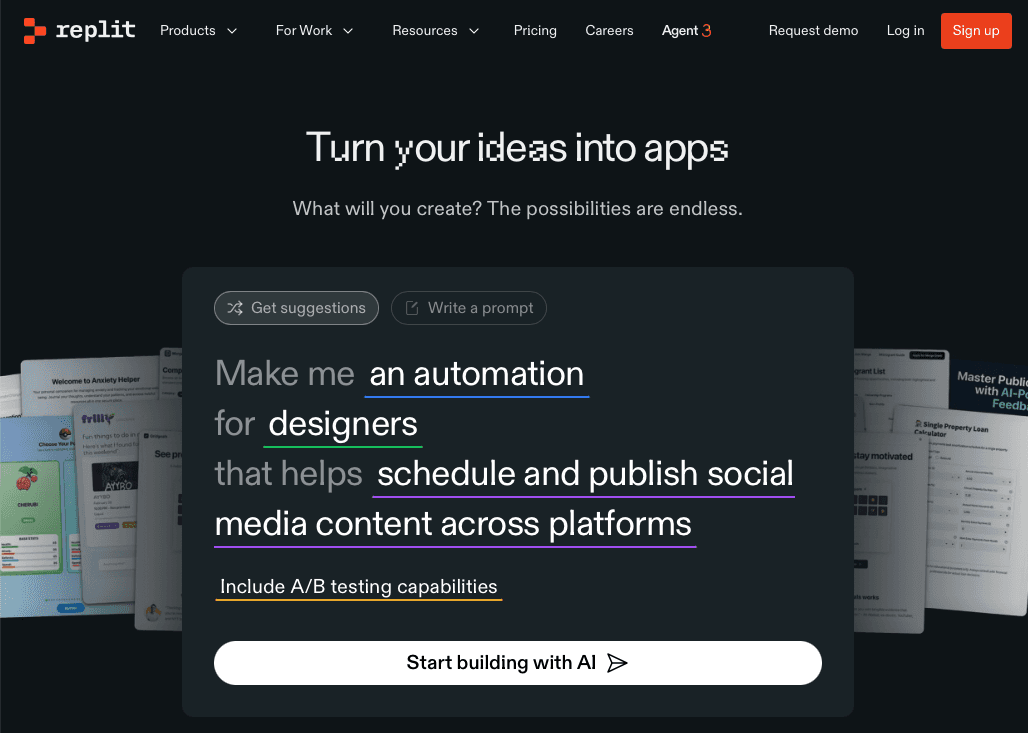
Replit's browser-based IDE makes it easy to spin up projects without local setup, and Replit AI now helps you write code, explain it, find errors, and get unstuck. Its collaborative features let multiple developers work on the same codebase at once with context-aware AI help, and because everything runs in the browser you can code from any device.
Pricing & AI models: Replit offers a free Starter plan and a paid Core plan that includes monthly AI credits and more compute. Its AI agent is built on Anthropic's Claude models to generate, explain, and debug code in the browser.
Pros & Cons
Pros: No local setup, live collaboration, built-in AI explanations
Cons: Browser-bound, with performance tied to your connection
v0 by Vercel
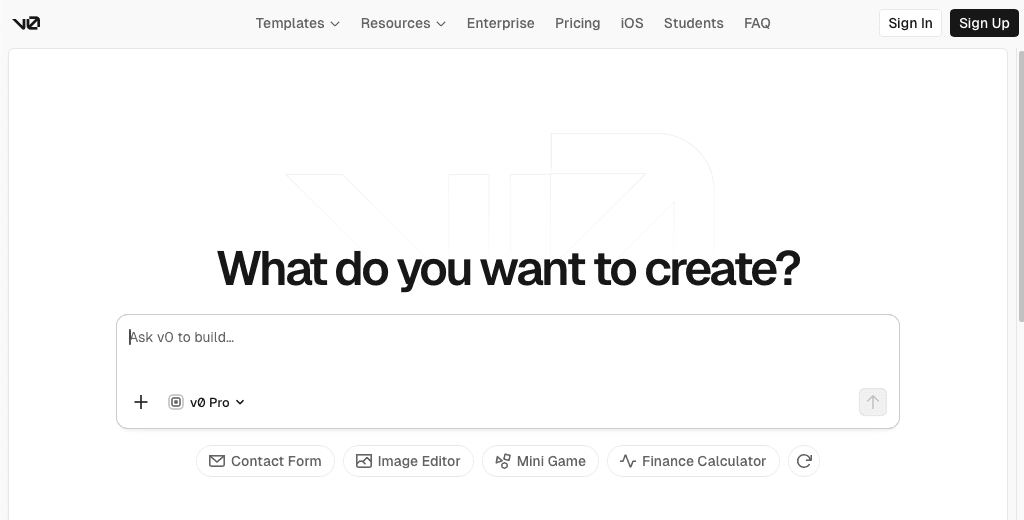
v0 takes a focused approach, concentrating on UI generation and React components instead of full-stack work. It turns natural-language design descriptions into polished, production-ready components that follow best practices for accessibility, responsive design, and performance. Its tight Vercel integration means the output is optimized for Vercel deployment and works smoothly with Next.js.
Pricing & AI models: v0 has a free tier with monthly credits and paid plans that scale those credits up for frequent use. It runs on Vercel's own purpose-built model for UI generation, with access to frontier models for more complex reasoning.
Pros & Cons
Pros: Polished React UI generation, strong Next.js and Vercel fit
Cons: UI-focused, so it is not a full-stack solution
Voice-Enhanced Vibe Coding with Willow Voice

The next evolution in vibe coding combines AI-powered development tools with natural speech input. When you can speak at 140 words per minute compared to typing at 40, voice is the fastest way to interact with AI coding assistants.
Developers want dictation that works cleanly without fighting with accuracy issues or formatting problems. Willow Voice lets you code by voice 5x faster than manual typing while removing the friction points that have limited mainstream adoption of voice coding workflows.
The difference shows when you're explaining complex algorithms to Cursor or describing feature requirements to Bolt. Willow Voice understands programming terminology, maintains context throughout long explanations, and formats the output appropriately for code comments or prompts.
Other voice tools treat coding prompts like regular text. Willow Voice understands you're talking to an AI coding assistant and adapts accordingly. It knows when you're describing technical concepts, API endpoints, or architectural decisions and maintains the appropriate context and formatting.
The workflow change is major. Instead of switching between thinking about the problem and typing out explanations, you can stay in the flow of problem-solving while speaking your thoughts directly to the AI. This creates a more natural and efficient development process.
FAQs
Which vibe coding tool should I choose as a beginner?
Lovable and Bolt are excellent starting points for beginners due to their balanced full-stack features and user-friendly interfaces. Many developers use both tools initially to maximize daily token limits and get more development time while learning.
Can I use vibe coding tools for free?
Yes, most leading vibe coding tools offer substantial free tiers including Cursor, Replit, and GitHub Copilot (free for students and open-source contributors). These free versions include AI-powered features and let you build real projects without upfront costs.
What's the best vibe coding tool for existing codebases?
Cursor is the strongest option for existing projects because it reads your entire codebase for context-aware suggestions that match your existing patterns. When you ask it to refactor a function or split a component, it understands related dependencies and maintains consistency with how your code is already structured.
Do vibe coding tools work on Windows?
Yes. The AI coding assistants covered here run on Windows, and voice dictation layers work there too, which matters for the many enterprise engineering teams on Windows machines. A good voice tool also works on iOS, so you can capture prompts or review code on the go.
Can development teams share vocabulary across vibe coding tools?
Yes. Team-focused voice dictation supports shared custom dictionaries so an entire engineering org can recognize the same codebase names, APIs, and internal terminology. Paired with SOC 2 Type II compliance and codebase auto-tagging for IDEs like Cursor, this keeps a distributed team consistent and secure.
Final Thoughts on Vibe Coding Tools for Developers
Vibe coding tools are changing who can build software, shifting the work from typing code to speaking your ideas: Cursor reads your existing codebase, Lovable and Bolt scaffold new apps from a single description, and v0 turns prompts into polished UI. The last bottleneck is the input method, since you can think and talk faster than you can type, and a coding prompt loses momentum the moment you stop to spell out a variable name or reformat a comment. Willow Voice fills that gap, matching the technical register of refactor requests and feature specs automatically and returning text fast enough that speaking into Cursor, Bolt, or any AI assistant feels like talking through the problem out loud. Pick the tool that fits how you build, pair it with dictation, and start describing your next project instead of typing it out.
Vibe coding tools are taking over developer workflows. Instead of wrestling with syntax, developers now collaborate with AI to turn ideas into working software, standing up a prototype in an afternoon instead of weeks. Junior developers ship faster, founders validate ideas without a full team, and designers turn mockups into real UI. Whether you're prompting Cursor or explaining logic to ChatGPT, vibe coding is changing how we build software.
TLDR:
Vibe coding lets you build apps by speaking to AI instead of typing code manually.
Lovable and Bolt lead full-stack development, while Cursor excels for IDE integration.
Free tiers from Cursor, Replit, and GitHub Copilot let you start without upfront costs.
v0 by Vercel is the go-to for generating polished React UI components.
Voice dictation tools make vibe coding up to 5x faster than typing prompts by hand.
What is Vibe Coding?
Vibe coding is a shift in how we build software. The term was coined by AI researcher Andrej Karpathy in early 2025, describing a workflow where developers guide AI assistants to generate, refine, and debug applications through conversational interaction with AI.
It is reshaping software development from manual syntax to natural language, letting you build apps by describing your ideas. The AI handles implementation while you focus on the creative and strategic work. For a deeper primer, see our complete guide to vibe coding.
Vibe coding democratizes software creation. You don't need to be a syntax expert or remember every API call, and the barrier between having an idea and seeing it work has never been lower.
Vibe Coding Tools at a Glance
Compare the main options side by side to spot which tool matches how you work, what you're building, and your budget. Detailed breakdowns follow below.
Tool | Type | Best For | Pricing | Key Features | Limitations |
|---|---|---|---|---|---|
Lovable | Full-Stack | New apps, balanced builds | Free tier; paid plans available | Frontend + backend handling, smooth early-stage builds | Daily token limits, less control over fine details |
Bolt | Full-Stack | Rapid prototyping, beginners | Free tier; paid plans available | Fast iteration, intuitive interface, context retention | Token caps, can drift on large projects |
Cursor | IDE | Existing codebases | Free tier; Pro paid plan | Codebase-aware AI, inline edits, refactoring | Learning curve, best with local setup |
GitHub Copilot | IDE | Inline autocomplete | Free for students/OSS; paid plans | Comment-to-code, agent mode, wide IDE support | Less full-project context than Cursor |
Replit | Cloud | Browser builds, teams | Free tier; paid plans available | No local setup, live collaboration, AI explanations | Browser-bound, performance tied to connection |
v0 by Vercel | Cloud | React UI components | Free tier; paid plans available | Polished UI generation, Next.js + Vercel fit | UI-focused, not full-stack |
Top Full-Stack Vibe Coding Tools
Lovable
Lovable delivers the most balanced full-stack experience on many developers' lists. The starting design is smooth, functionality works reliably, and it handles both frontend and backend without bogging you down in configuration. It also pairs well with voice dictation, so you can speak your requirements instead of typing them.
Pricing & AI models: Lovable offers a free tier with daily message limits, with paid plans that unlock more daily messages and private projects. Under the hood it taps frontier models like Anthropic's Claude and OpenAI's GPT family to handle code generation across the stack.
Pros & Cons
Pros: Balanced frontend and backend handling, smooth early-stage builds, friendly for first projects
Cons: Daily token limits and less control over fine-grained details
Bolt
Bolt shares the throne with Lovable, with a remarkably similar experience that's great for your first vibe coding project. Many developers rotate between both to stretch daily token limits. It excels at rapid prototyping: the interface feels intuitive from first use, and the AI retains enough context that you can start with "build me a task management app," then add "team collaboration" or "calendar sync" without it losing track of your codebase.
Pricing & AI models: Bolt provides a free tier with a daily token allowance and paid plans that raise those caps for heavier builds. It runs on Anthropic's Claude models, which power its in-browser full-stack code generation.
Pros & Cons
Pros: Fast iteration, intuitive interface, strong context retention across changes
Cons: Token caps and occasional drift on large projects
Best IDE-Based Vibe Coding Tools
Cursor
Cursor is the leading AI-powered code editor because it was built from the ground up around AI models instead of bolting them on. It understands your entire codebase context, so when you modify a function it knows the related components, dependencies, and patterns, keeping suggestions accurate and consistent with your code style. You can select code and ask "why is this function slow?" or "refactor this to use React hooks," and the AI generates code and explains its reasoning.
Pricing & AI models: Cursor has a free Hobby tier and a paid Pro plan that adds more fast requests and premium model access. You can pick between models from Anthropic (Claude), OpenAI (GPT), and Google (Gemini) depending on the task. For more on getting the most from it, see our guide to using Cursor AI effectively.
Pros & Cons
Pros: Codebase-aware AI, inline edits, strong refactoring on existing projects
Cons: Has a learning curve and works best with a local setup
GitHub Copilot
GitHub Copilot brought vibe coding into mainstream developer consciousness. Integrated into IDEs like VS Code, it turns natural language comments into code, from single lines to entire functions, following patterns learned from billions of lines of public code. Its newer agent mode adds extended discussions about architecture, debugging, and optimization, like a senior developer on call.
Pricing & AI models: Copilot has a free tier with limited monthly completions and chats, plus paid Pro and Business plans for unlimited use. It lets you choose between models from OpenAI (GPT), Anthropic (Claude), and Google (Gemini) right inside the IDE.
Pros & Cons
Pros: Comment-to-code suggestions, agent mode, wide IDE support
Cons: Less full-project context than Cursor
Cloud-Based Vibe Coding Solutions
Replit
Replit's browser-based IDE makes it easy to spin up projects without local setup, and Replit AI now helps you write code, explain it, find errors, and get unstuck. Its collaborative features let multiple developers work on the same codebase at once with context-aware AI help, and because everything runs in the browser you can code from any device.
Pricing & AI models: Replit offers a free Starter plan and a paid Core plan that includes monthly AI credits and more compute. Its AI agent is built on Anthropic's Claude models to generate, explain, and debug code in the browser.
Pros & Cons
Pros: No local setup, live collaboration, built-in AI explanations
Cons: Browser-bound, with performance tied to your connection
v0 by Vercel
v0 takes a focused approach, concentrating on UI generation and React components instead of full-stack work. It turns natural-language design descriptions into polished, production-ready components that follow best practices for accessibility, responsive design, and performance. Its tight Vercel integration means the output is optimized for Vercel deployment and works smoothly with Next.js.
Pricing & AI models: v0 has a free tier with monthly credits and paid plans that scale those credits up for frequent use. It runs on Vercel's own purpose-built model for UI generation, with access to frontier models for more complex reasoning.
Pros & Cons
Pros: Polished React UI generation, strong Next.js and Vercel fit
Cons: UI-focused, so it is not a full-stack solution
Voice-Enhanced Vibe Coding with Willow Voice
The next evolution in vibe coding combines AI-powered development tools with natural speech input. When you can speak at 140 words per minute compared to typing at 40, voice is the fastest way to interact with AI coding assistants.
Developers want dictation that works cleanly without fighting with accuracy issues or formatting problems. Willow Voice lets you code by voice 5x faster than manual typing while removing the friction points that have limited mainstream adoption of voice coding workflows.
The difference shows when you're explaining complex algorithms to Cursor or describing feature requirements to Bolt. Willow Voice understands programming terminology, maintains context throughout long explanations, and formats the output appropriately for code comments or prompts.
Other voice tools treat coding prompts like regular text. Willow Voice understands you're talking to an AI coding assistant and adapts accordingly. It knows when you're describing technical concepts, API endpoints, or architectural decisions and maintains the appropriate context and formatting.
The workflow change is major. Instead of switching between thinking about the problem and typing out explanations, you can stay in the flow of problem-solving while speaking your thoughts directly to the AI. This creates a more natural and efficient development process.
FAQs
Which vibe coding tool should I choose as a beginner?
Lovable and Bolt are excellent starting points for beginners due to their balanced full-stack features and user-friendly interfaces. Many developers use both tools initially to maximize daily token limits and get more development time while learning.
Can I use vibe coding tools for free?
Yes, most leading vibe coding tools offer substantial free tiers including Cursor, Replit, and GitHub Copilot (free for students and open-source contributors). These free versions include AI-powered features and let you build real projects without upfront costs.
What's the best vibe coding tool for existing codebases?
Cursor is the strongest option for existing projects because it reads your entire codebase for context-aware suggestions that match your existing patterns. When you ask it to refactor a function or split a component, it understands related dependencies and maintains consistency with how your code is already structured.
Do vibe coding tools work on Windows?
Yes. The AI coding assistants covered here run on Windows, and voice dictation layers work there too, which matters for the many enterprise engineering teams on Windows machines. A good voice tool also works on iOS, so you can capture prompts or review code on the go.
Can development teams share vocabulary across vibe coding tools?
Yes. Team-focused voice dictation supports shared custom dictionaries so an entire engineering org can recognize the same codebase names, APIs, and internal terminology. Paired with SOC 2 Type II compliance and codebase auto-tagging for IDEs like Cursor, this keeps a distributed team consistent and secure.
Final Thoughts on Vibe Coding Tools for Developers
Vibe coding tools are changing who can build software, shifting the work from typing code to speaking your ideas: Cursor reads your existing codebase, Lovable and Bolt scaffold new apps from a single description, and v0 turns prompts into polished UI. The last bottleneck is the input method, since you can think and talk faster than you can type, and a coding prompt loses momentum the moment you stop to spell out a variable name or reformat a comment. Willow Voice fills that gap, matching the technical register of refactor requests and feature specs automatically and returning text fast enough that speaking into Cursor, Bolt, or any AI assistant feels like talking through the problem out loud. Pick the tool that fits how you build, pair it with dictation, and start describing your next project instead of typing it out.

Try Willow for free
Instant, accurate voice dictation. No card required.
Try Willow for free
Instant, accurate voice dictation. No card required.
Other stories you’ll love
Other stories you’ll love



Your keyboard is optional now
" transform="translate(5 5)" width="9.791000051498413px"/></svg>)

The voice-first interface for modern work.
© Willow Care, Inc. 2026. All rights reserved
Your keyboard is optional now
The voice-first interface for modern work.
© Willow Care, Inc. 2026. All rights reserved
Your keyboard is optional now
The voice-first interface for modern work.
© Willow Care, Inc. 2026. All rights reserved